Insert, Update and Delete Records In SQL Server

1. Insert into Statement

we can insert in SQL table in three ways.
First way is 

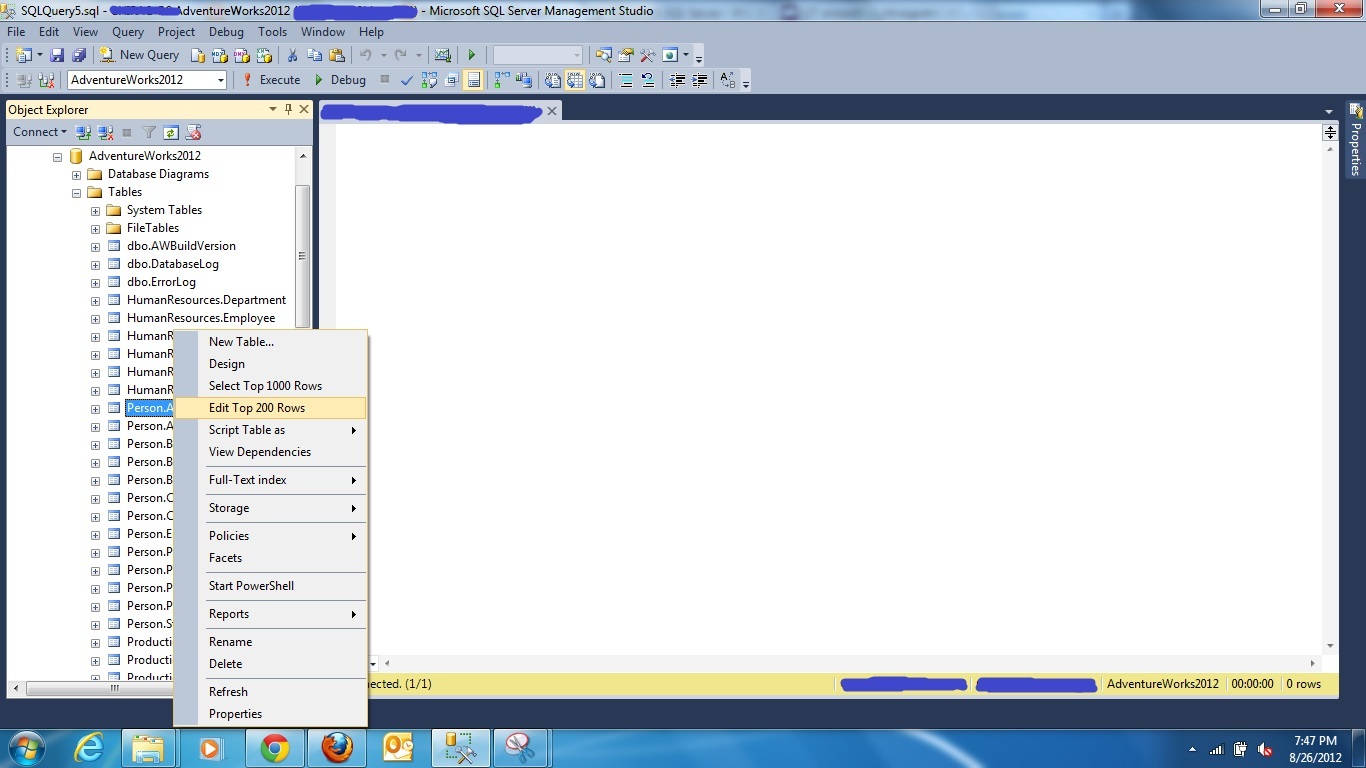
select the table you want to insert or Edit into, by going into option Edit Top 200 Rows

Second way is 

select the table you want to insert values, right click on it
select the option
  1. Script Table as
  2. Insert to
  3. New Query Editor Windows.

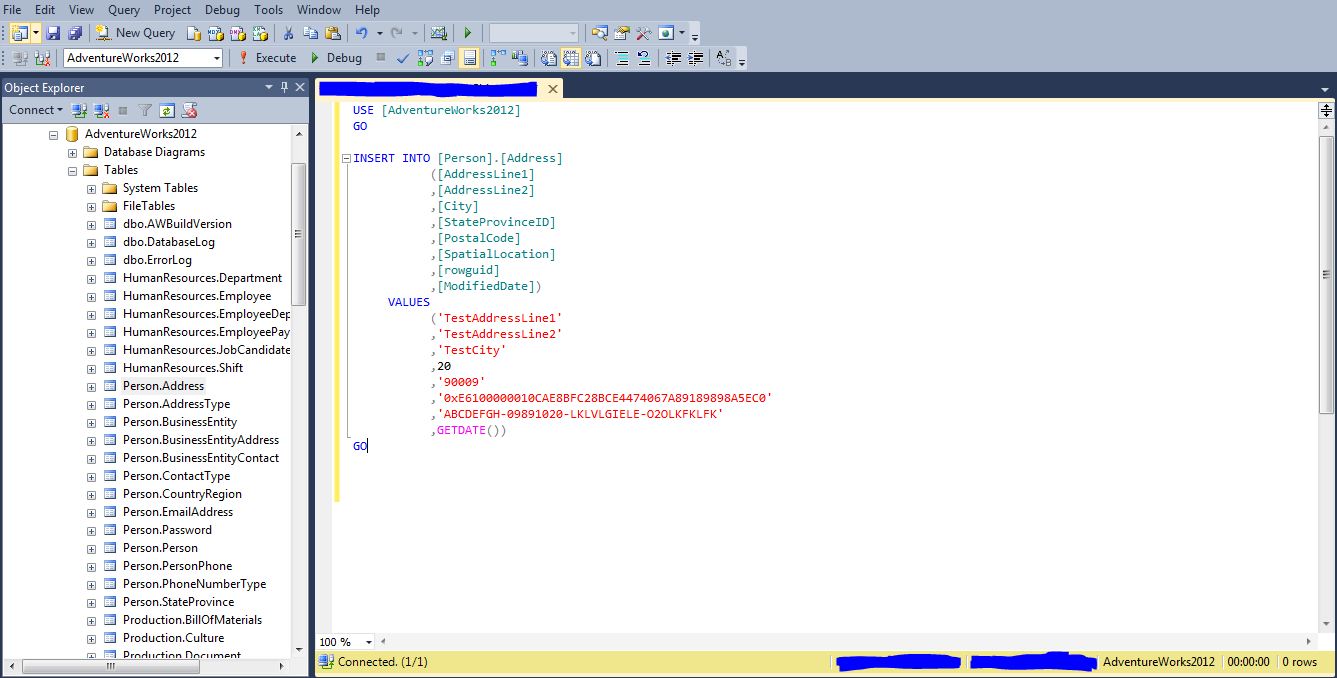
It will give you query editor with Insert into Statement

Third way is 

To write a Insert into statement


2. Update Statement

Update statement is used to update existing records in SQL tables.

UPDATE table_name
SET column1=value, column2=value2
WHERE some_column=some_value

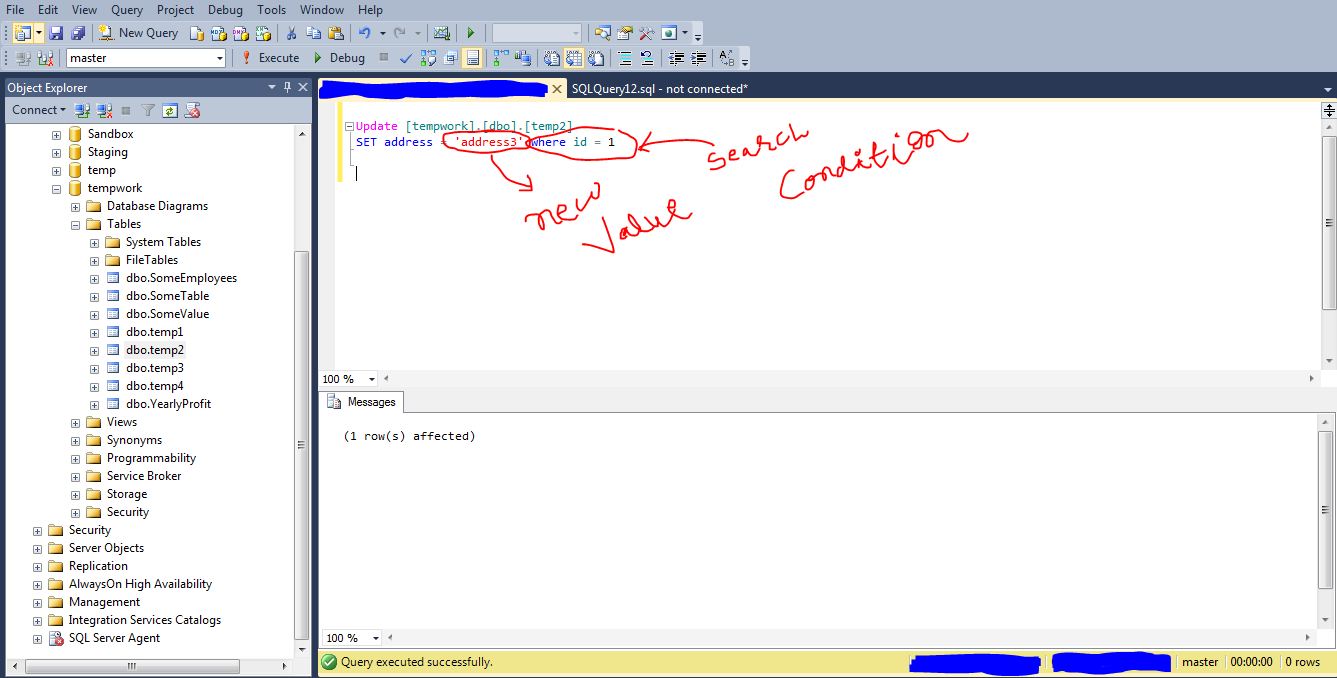
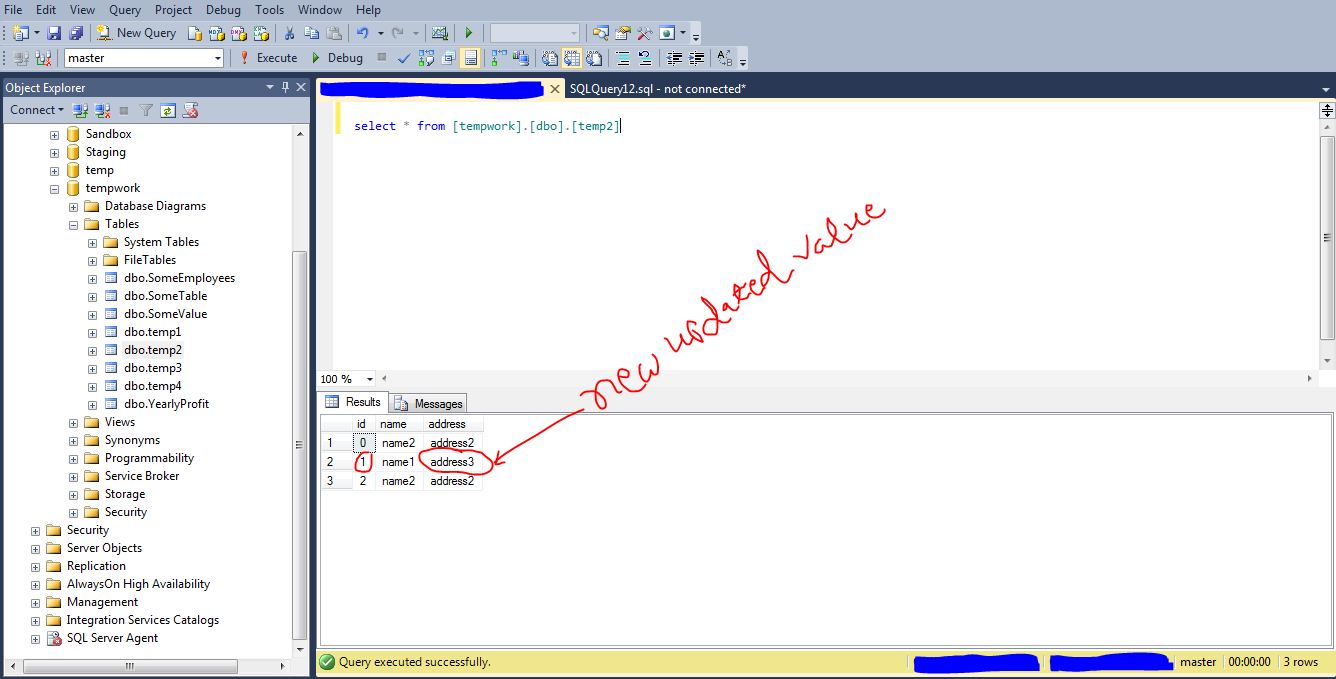
we have just updated address column with new value “address3” of id=1
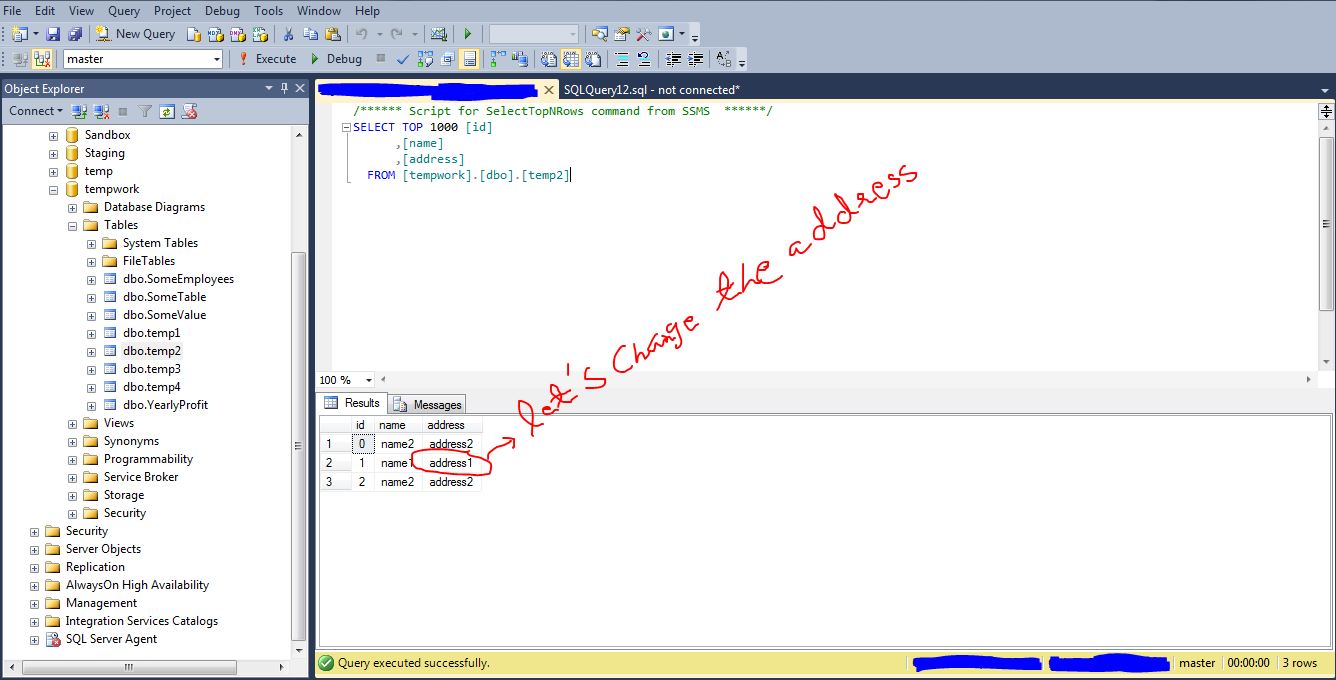
let’s look at the changed records.

3. DELETE in SQL Server

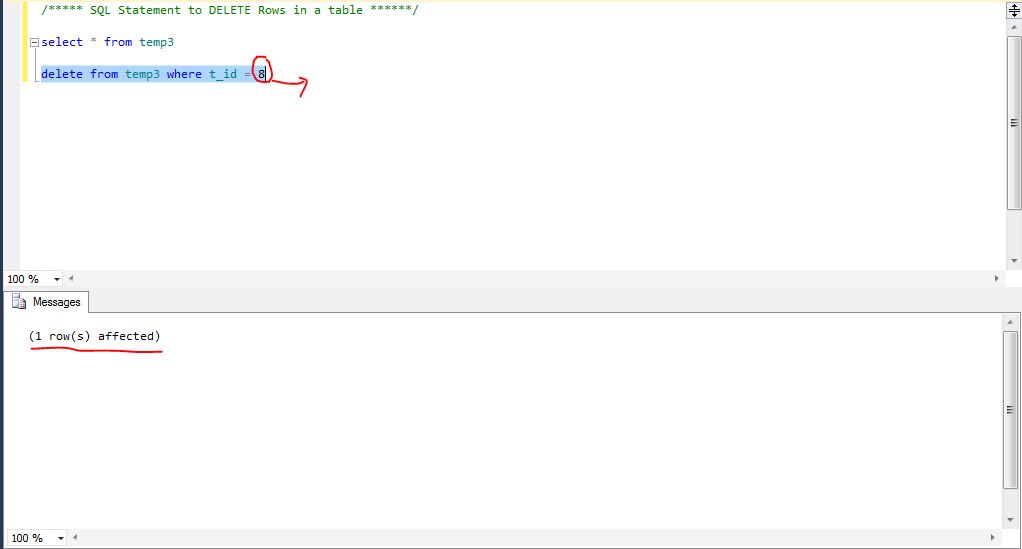
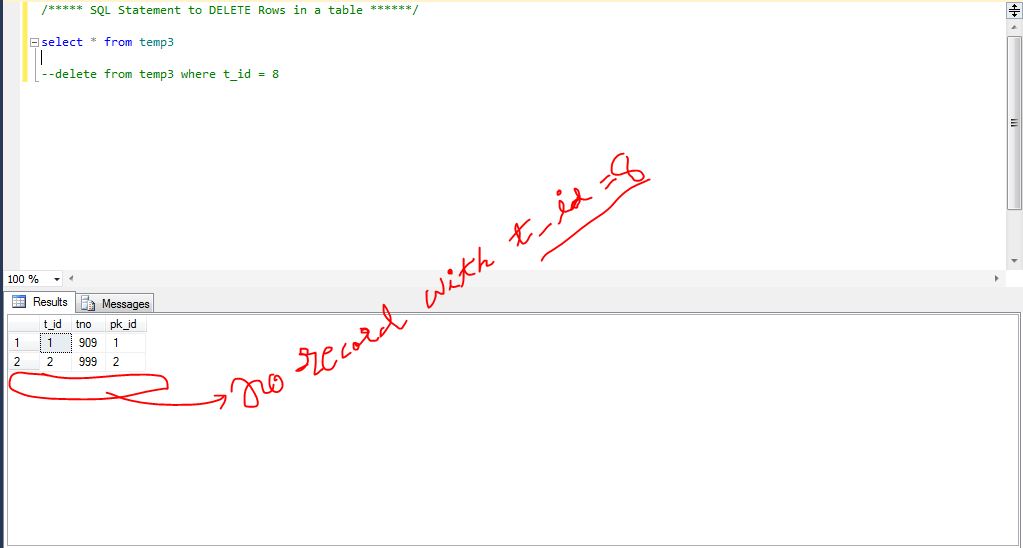
DELETE statement used to delete rows and records in SQL server table.

syntax for example.

if you want to delete some particular record from selected table use this syntax.

DELETE from tablename where columnname = ‘Expression value’


JOINs in SQL Server

SQL JOIN

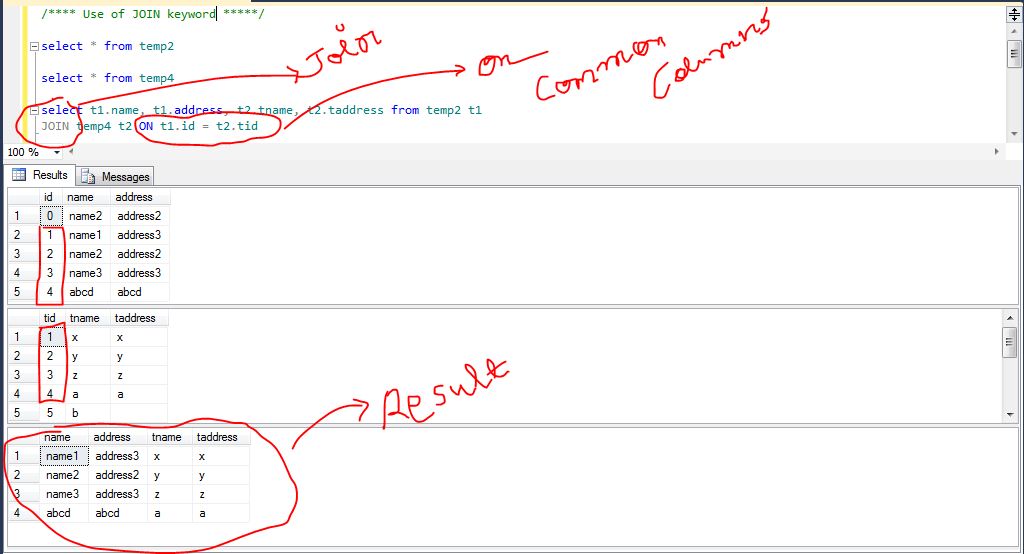
JOIN Keyword we use in SQL statement to query data from two or more tables, based on a relationship we provide in statement.
the relationship is join between two table with the same columns and keys.

for example: the syntax would be

select t1.tablecolumn1, t1.tablecolumn2, t2.tablecolumn1, t2.tablecolumn2
from sometable1 t1 JOIN sometable2 t2 ON t1.tablecolumn1 = t2.tablecolumn1

to do join between two or more tables we need one single common key column both tables should have.

Types of Join we use and differences in them

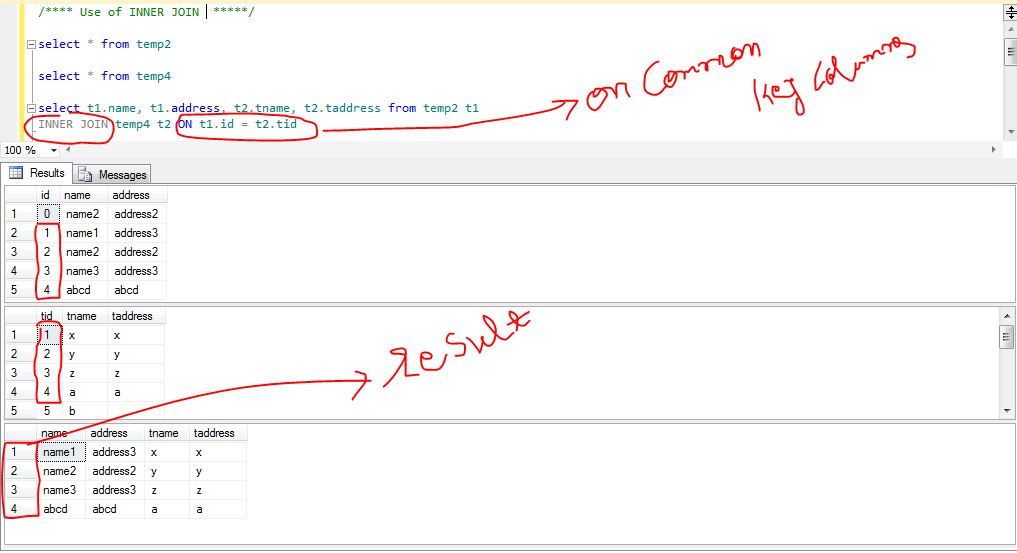
1. JOIN (Inner Join): Return rows when there is at least one match in both tables
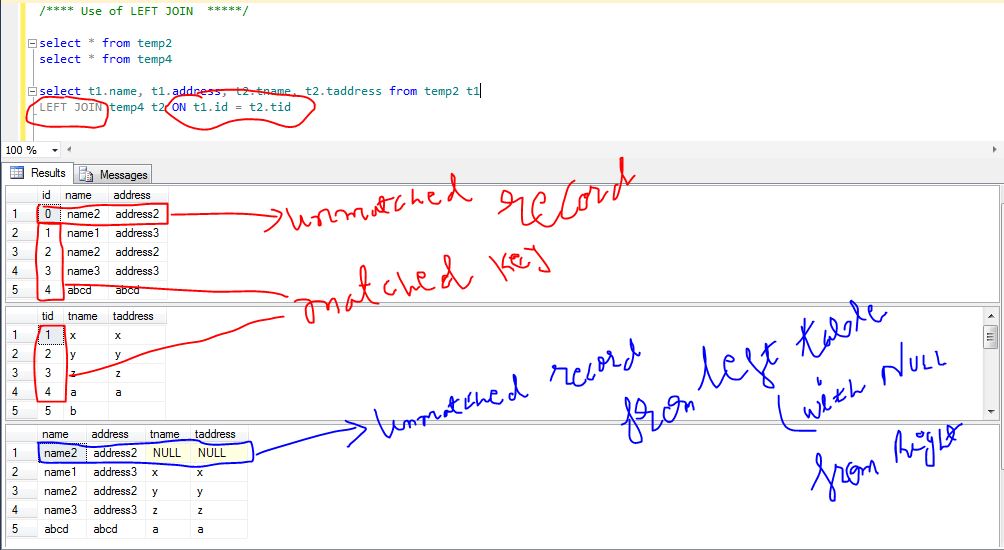
2. LEFT JOIN: Return all rows from the left table, even if there are no matches in the right table
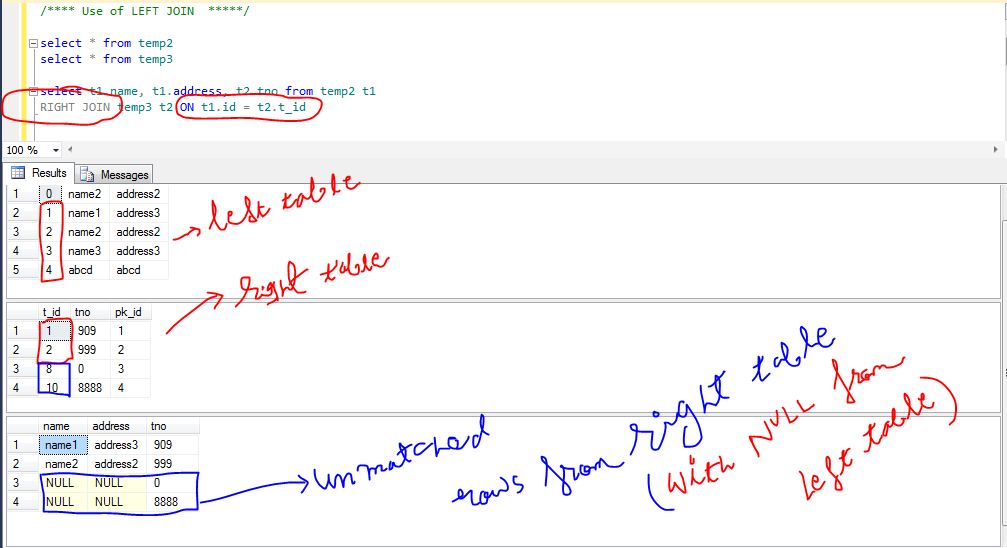
3. RIGHT JOIN: Return all rows from the Right table, even if there are no matches in the left table
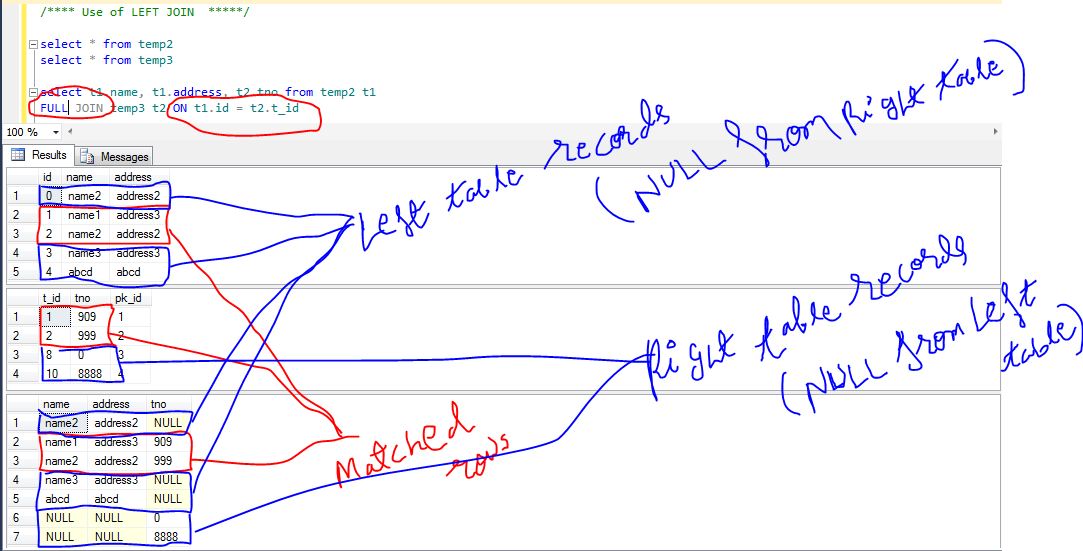
4. FULL JOIN: Return rows when there is a match in one of the tables

Joins with Example.

INNER JOIN

syntax with example

select t1.tablecolumn1, t1.tablecolumn2, t2.tablecolumn1, t2.tablecolumn2
from sometable1 t1 INNER JOIN sometable2 t2 ON t1.tablecolumn1 = t2.tablecolumn1

LEFT JOIN

syntax with example:

select t1.tablecolumn1, t1.tablecolumn2, t2.tablecolumn1, t2.tablecolumn2
from sometable1 t1 LEFT JOIN sometable2 t2 ON t1.tablecolumn1 = t2.tablecolumn1

RIGHT JOIN

syntax with example:

select t1.tablecolumn1, t1.tablecolumn2, t2.tablecolumn1, t2.tablecolumn2
from sometable1 t1 RIGHT JOIN sometable2 t2 ON t1.tablecolumn1 = t2.tablecolumn1

FULL JOIN

syntax with example:

select t1.tablecolumn1, t1.tablecolumn2, t2.tablecolumn1, t2.tablecolumn2
from sometable1 t1 FULL JOIN sometable2 t2 ON t1.tablecolumn1 = t2.tablecolumn1

SQL Command Part2

In this post I will show you some new commands.

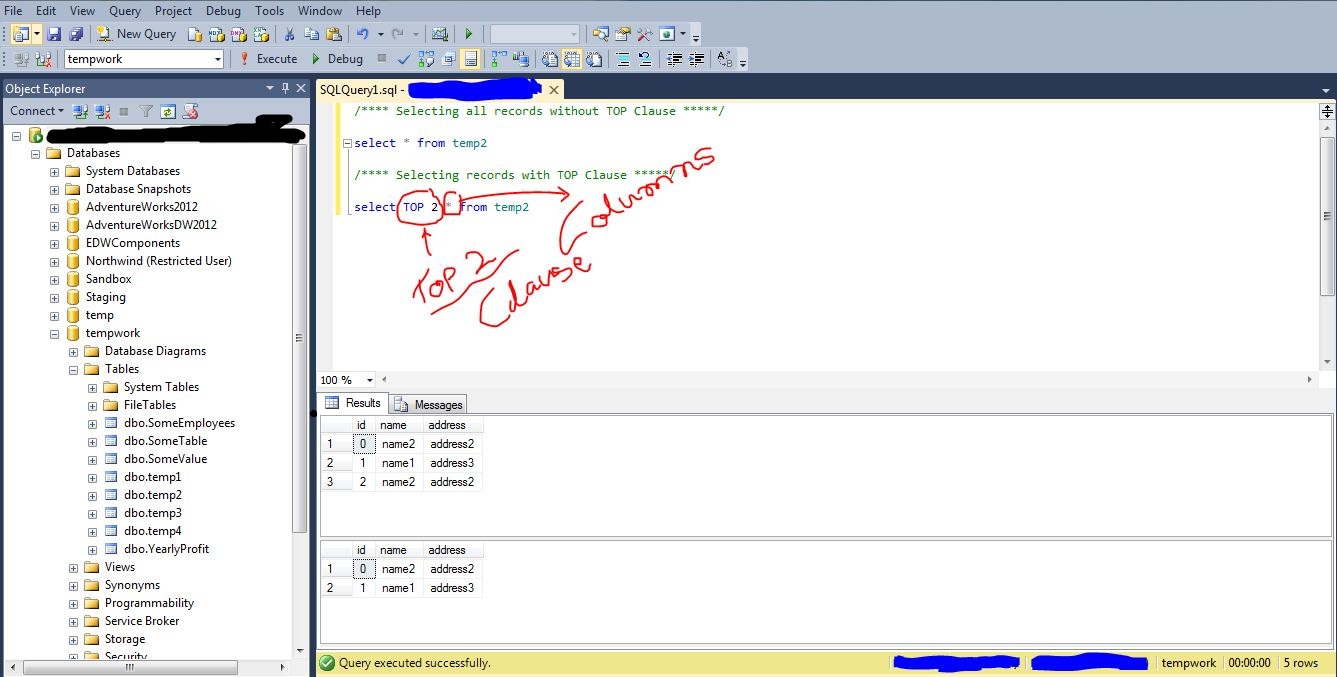
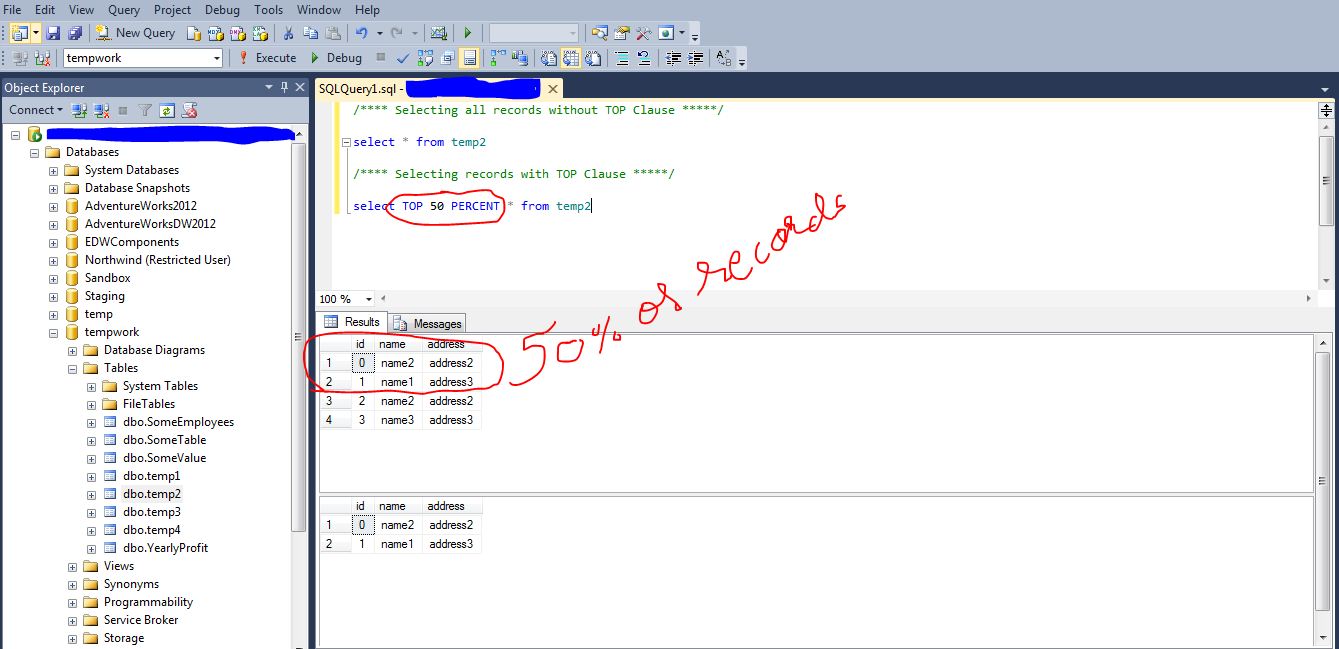
1. Top Clause

Top Clause is used to fetch and display Top selected rows as a result.
for example:

SELECT TOP 5 from [dbo].[tablename]

SELECT TOP 50 PERCENT * from [dbo].[tablename]

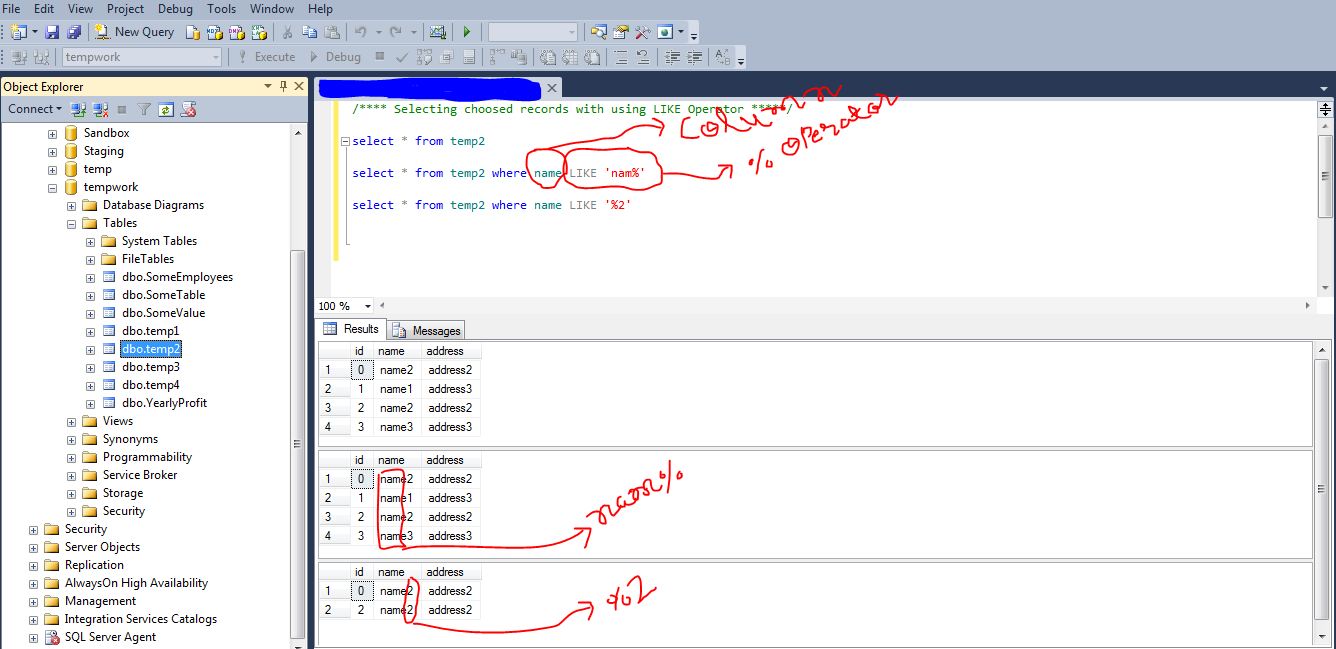
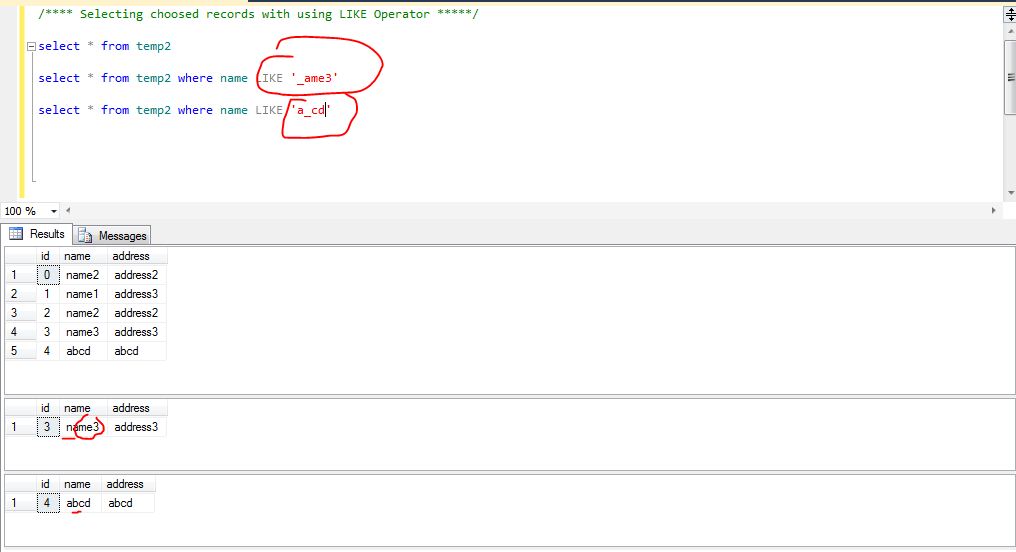
2. SQL LIKE Operator and Wildcards

LIKE Operator is used to search specified pattern we put and use in Where Clause.
we use wildcards in LIKE Operators.
Wildcards like 

% — we use this operator to find more characters when we pass this operator as parameter.
[] — we use this operator to find specific pattern, we put into the square brackets.
_ — we call this operator an Underscore, to use a particular character in the given string.

let’s find the Name which starts with character ‘n’ or ‘a’ from table temp2

3. SQL IN Operator

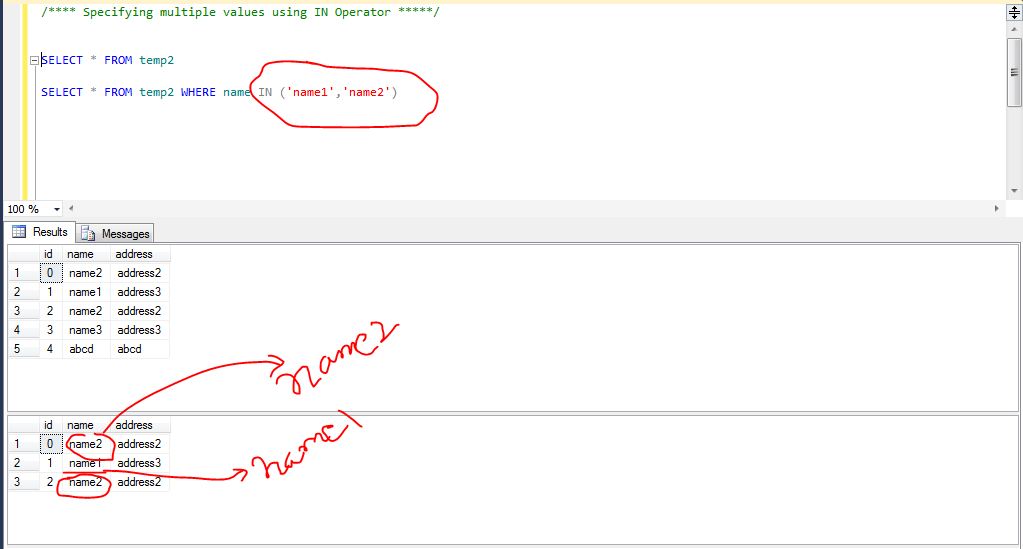
we use IN Operator to specify multiple values in a WHERE clause.
the syntax is
SELECT * FROM TABLENAME WHERE COLUMN NAME IN (‘VALUE1′,’VALUE2’)

4. The BETWEEN Operator

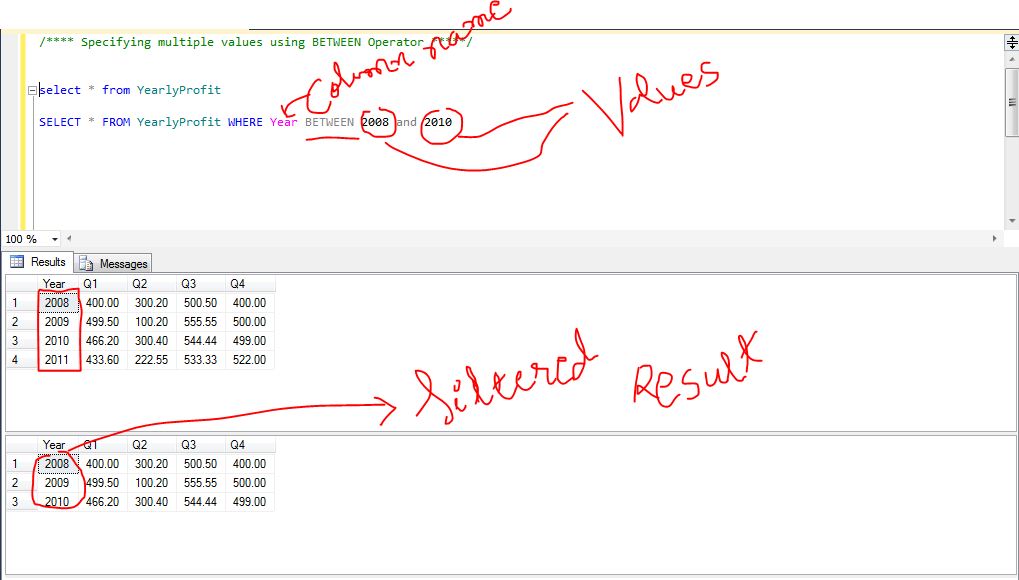
the between operator selects and shows values between range of given values in a form of parameters.
for example.

select * from tablename where columnname BETWEEN value1 and value2

5. Aliases in SQL

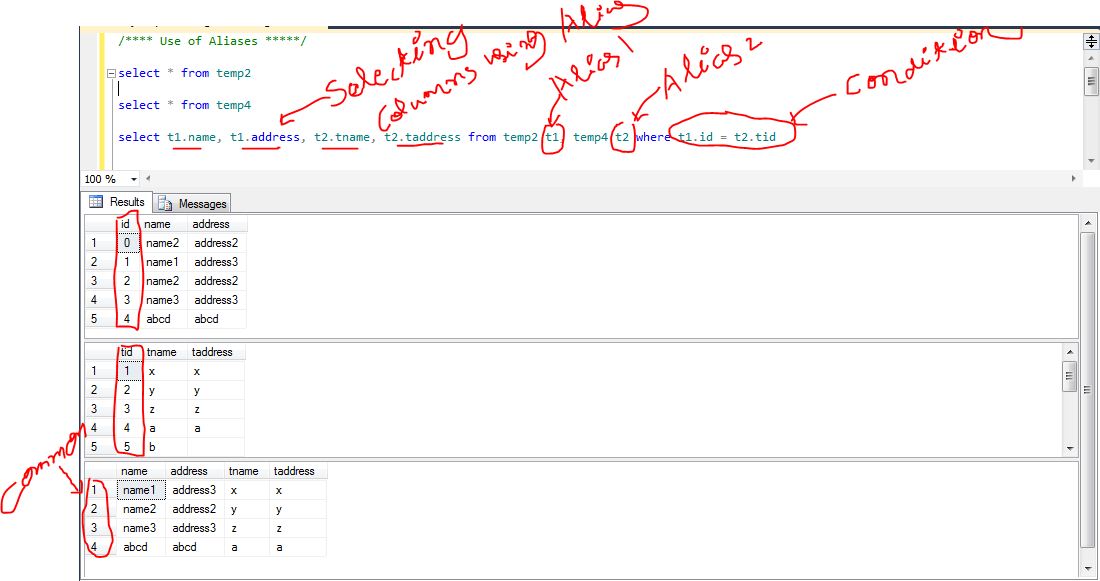
You can give a table or a column another name by using an alias.
we use Aliases in SQL to simplify the complex query by giving some name to ease the joins.
This can be a good thing to do if you have very long or complex table names or column names.

for example.

select
  t1.table1column1
, t1.table1column2
, t2.table2column1
, t2.table2column2 from sometable1 t1, sometable2 t2  where t1.table1column1 = t2.table2column1

SQL Commands Part1

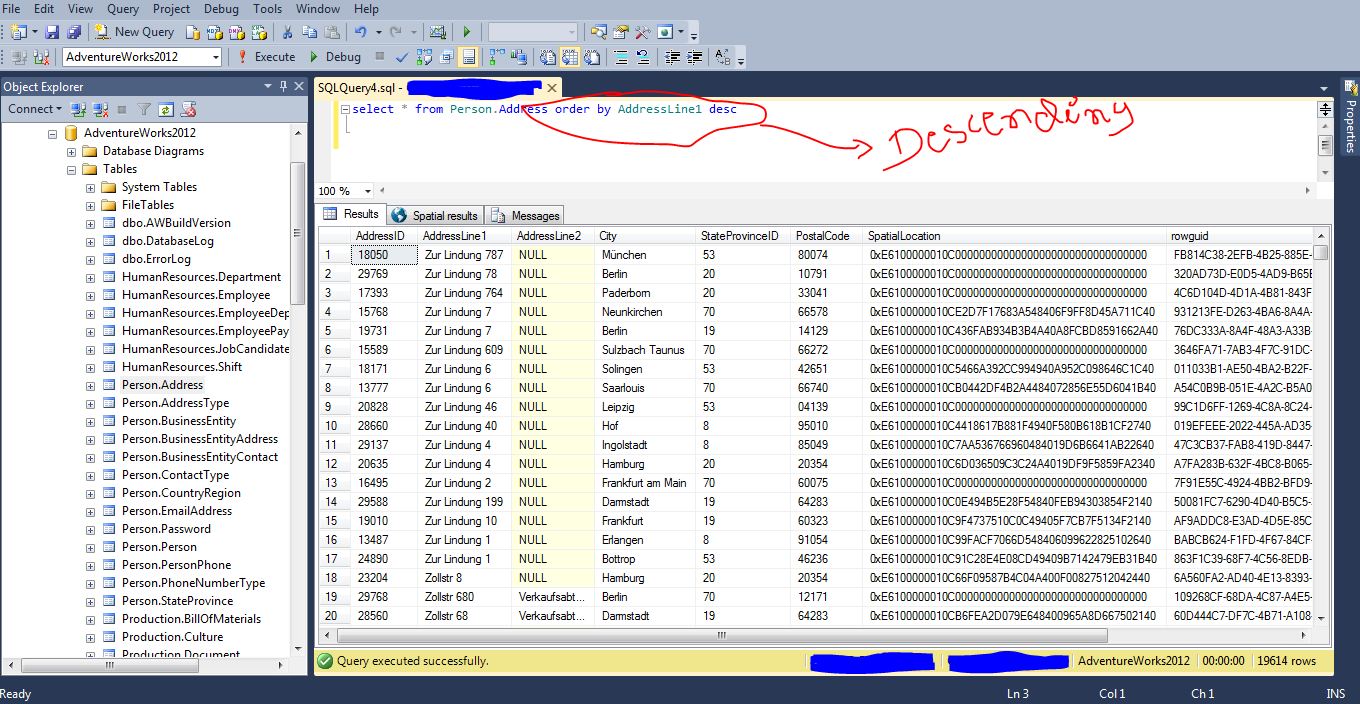
1. Order By Keyword.

The ORDER BY keyword is used to sort the result-set by a specified column.
The ORDER BY keyword sort the records in ascending order by default.

select * from [AdventureWorks2012].[Person].[Address] order by Desc

2. Distinct Keyword

In a table, some of the columns may contain duplicate values. This is not a problem, however, sometimes you will want to list only the different (distinct) values in a table.
The DISTINCT keyword can be used to return only distinct (Not Duplicate) values.

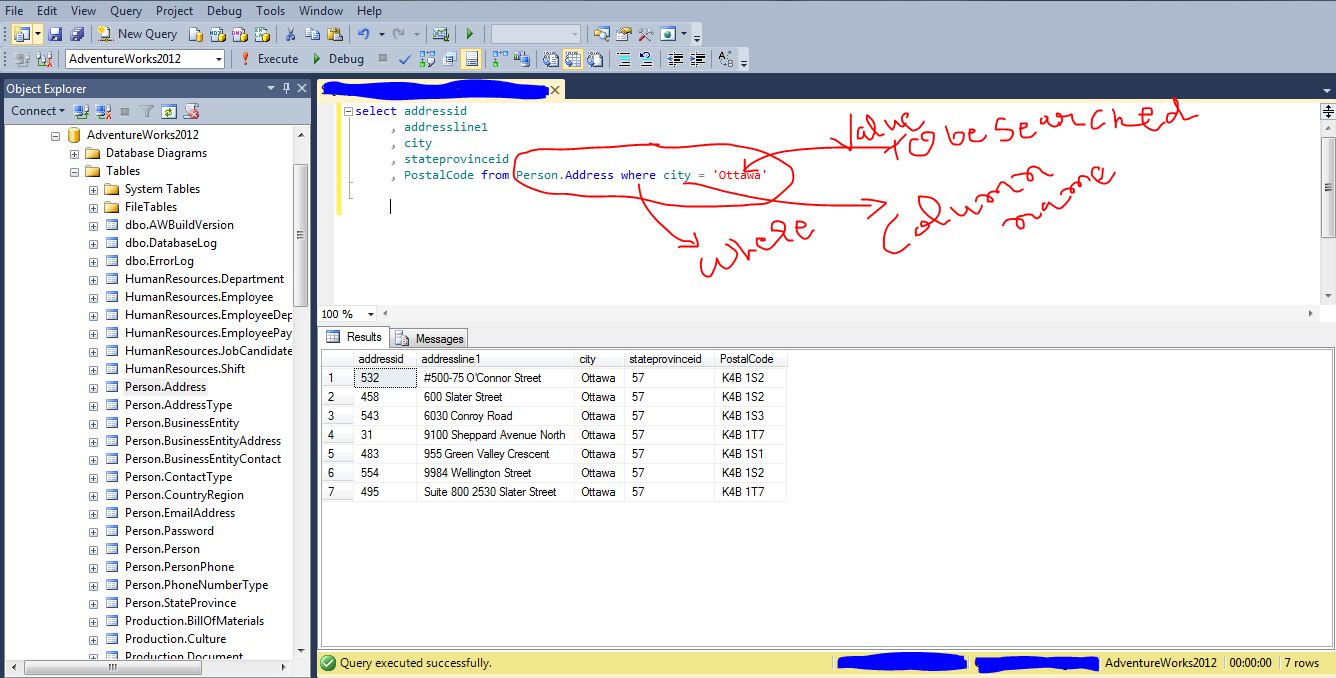
3. Where Clause

Where clause used to filter records.
The WHERE clause is used to extract only those records that fulfill a specified criterion.
select columnname1, columnname2 from tablename where columnname operator (=, , Like) criterion.

4. AND and OR Operator.

The AND & OR operators are used to filter records based on more than one condition.

The AND operator displays a record if both the first condition AND the second condition is true.
The OR operator displays a record if either the first condition OR the second condition is true.

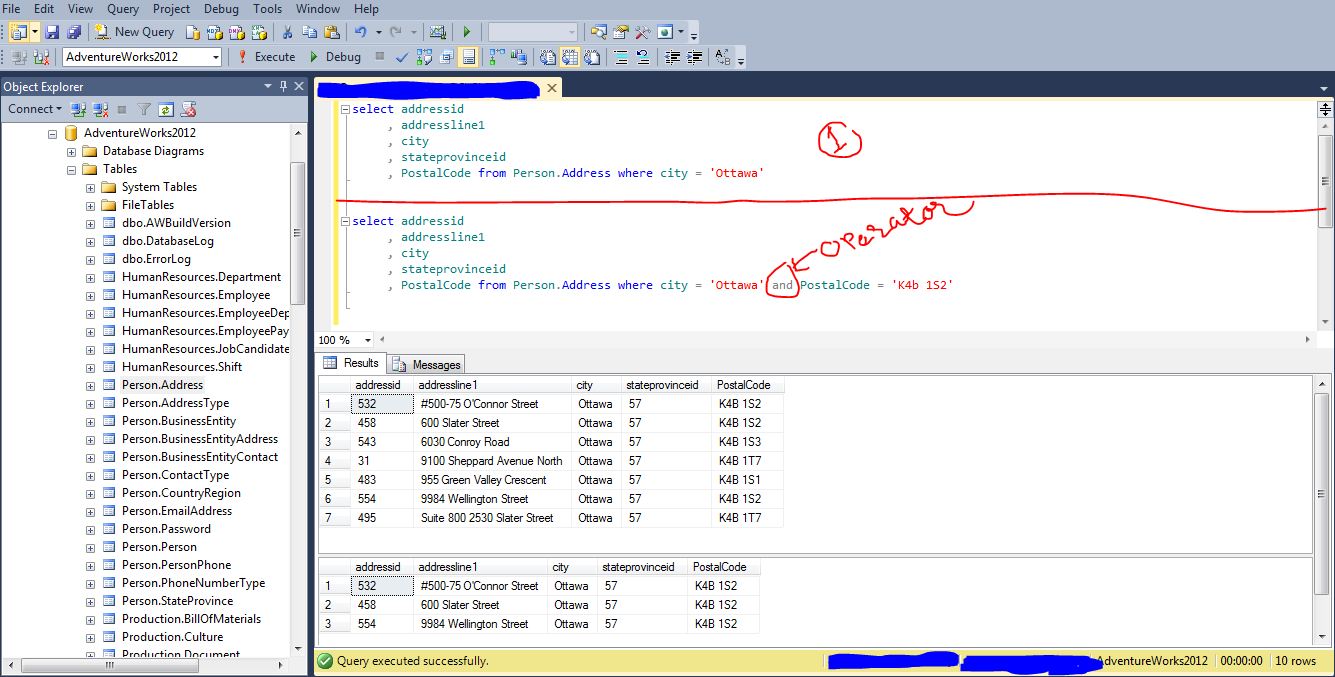
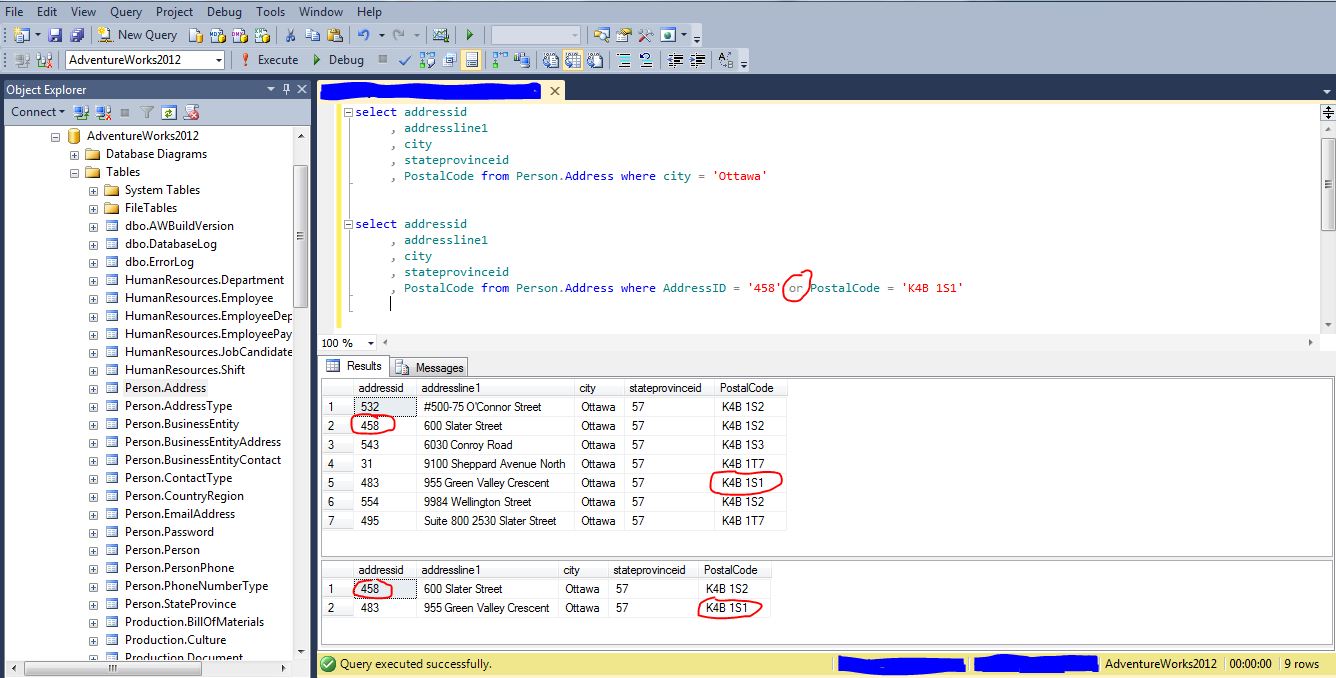
have a look on both queries.
first one gives the result set without AND operator.
second query gives the result set with and operator.
have a look on the result sets.
the first one gives all the result data where city is “Ottawa”.
and the second one gives the result data where city is “Ottawa” and PostalCode is “K4B 1S2”
we get the result because both conditions are true.
true in sense that there are records in Person.Address table which has both City named Ottawa and PostalCode K4B 1S2.

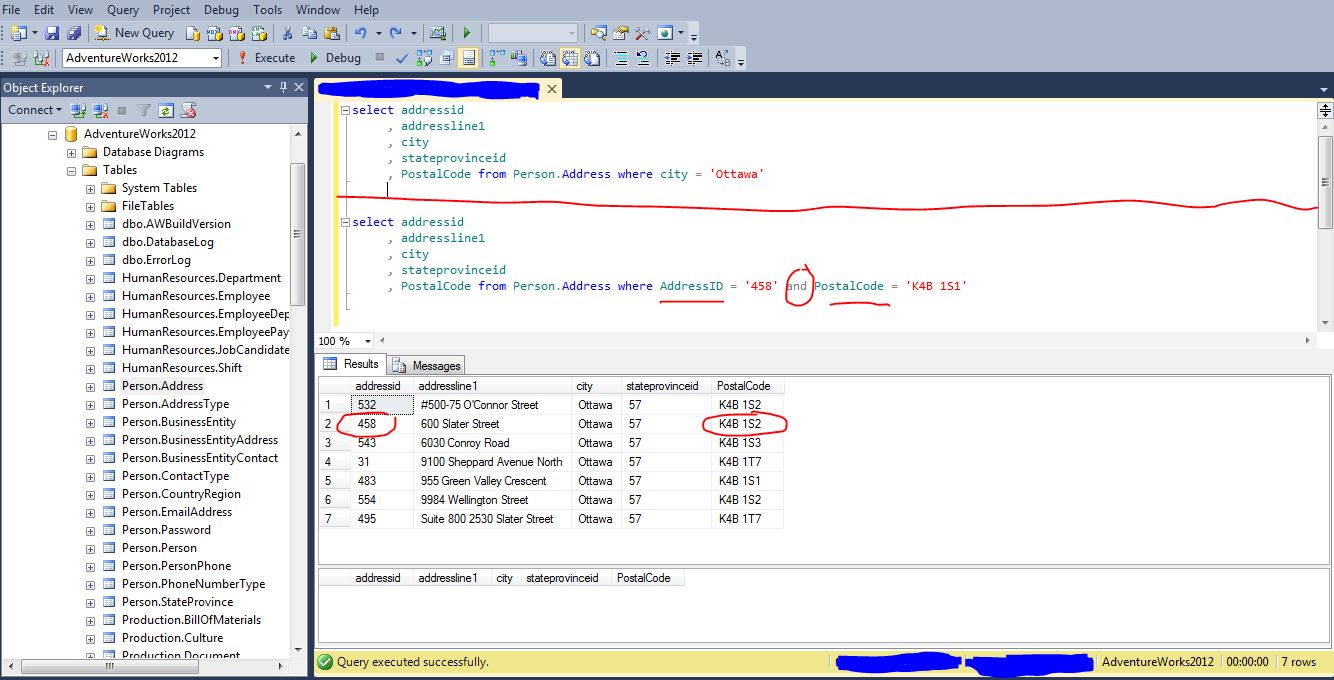
please have a look on the second query and look for the condition.
the second condition after and operator which is postalcode “K4B 1S1”

look for first result set of which has marks.
for second query, why we are not getting any result for second query
we are selecting result for addressId = ‘458’ and postalcode =’K4B 1S1′
but in table [Person].[Address] we do not have such record which satisfies these two criterion values.

look for the result set we are getting in the above image.
we used OR operator between AddressID and PostalCode.
so we get the result record where AddressId is “458” and PostalCode is “K4B 1S1”
for OR Operator query does not have to satisfy both criterion values.

View Data from table in SQL Server

The first post of mine has the links to download free version of SQL server 2008 and 2012, which is Express Edition.

the post shows the links to download Adventureworks Database.
there are two types of Database that link has.
AdventureWorks2012, and AdventureWorksDW2012.

AdventureWorks2012 is OLTP (Online Transaction Processing) database and
AdventureWorksDW2012 is OLAP (Online Analytical Processing) database.

I will show in this post how to view data from data base tables in SQL Server using SSMS.
SSMS (SQL Server Management Studio) is tool which we get when we install SQL Server in our machine.

It has many features, features like
to access as many servers user wants in one window.
to access databases
to access server objects in form of Insert, Update and Delete tables, to create views, stored procedures, triggers.
to create user roles

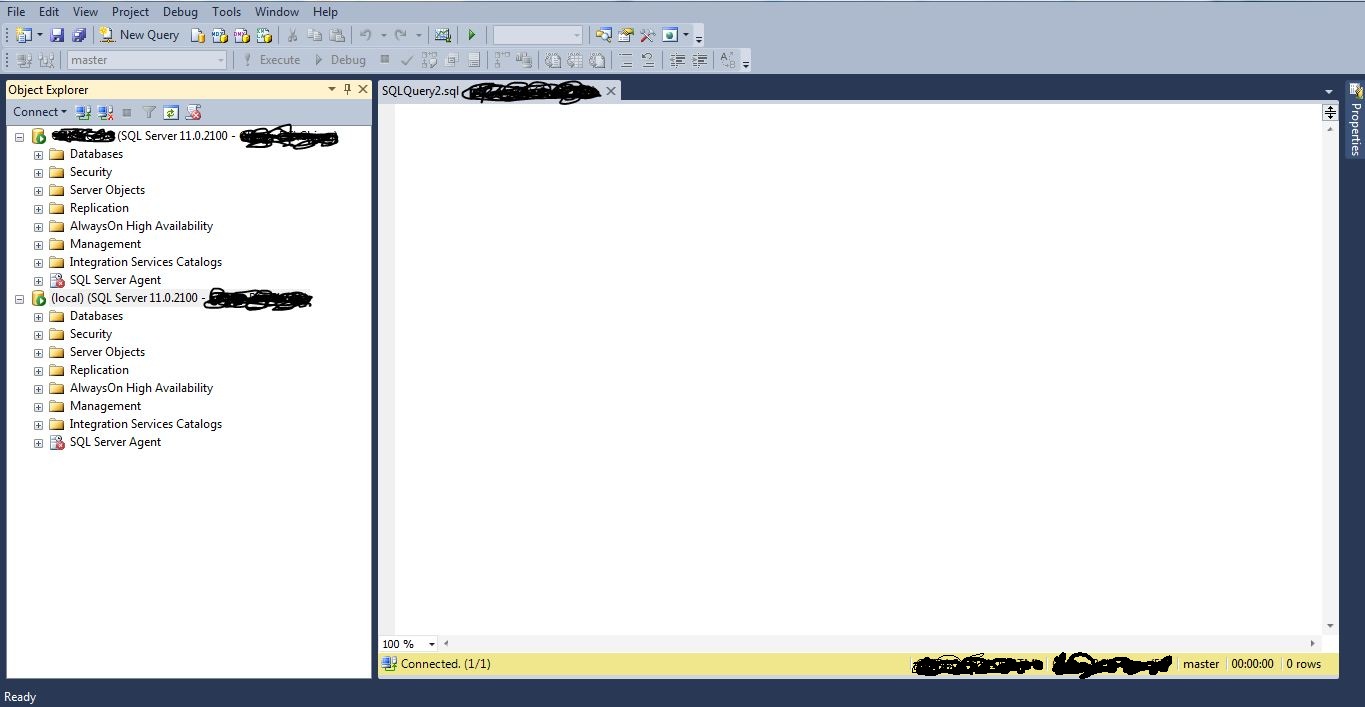
To access as many Servers user wants in one windows.

above screen shows two servers connected in one window.

To view the data from any tables from database.

two ways to view the data from the sql tables.

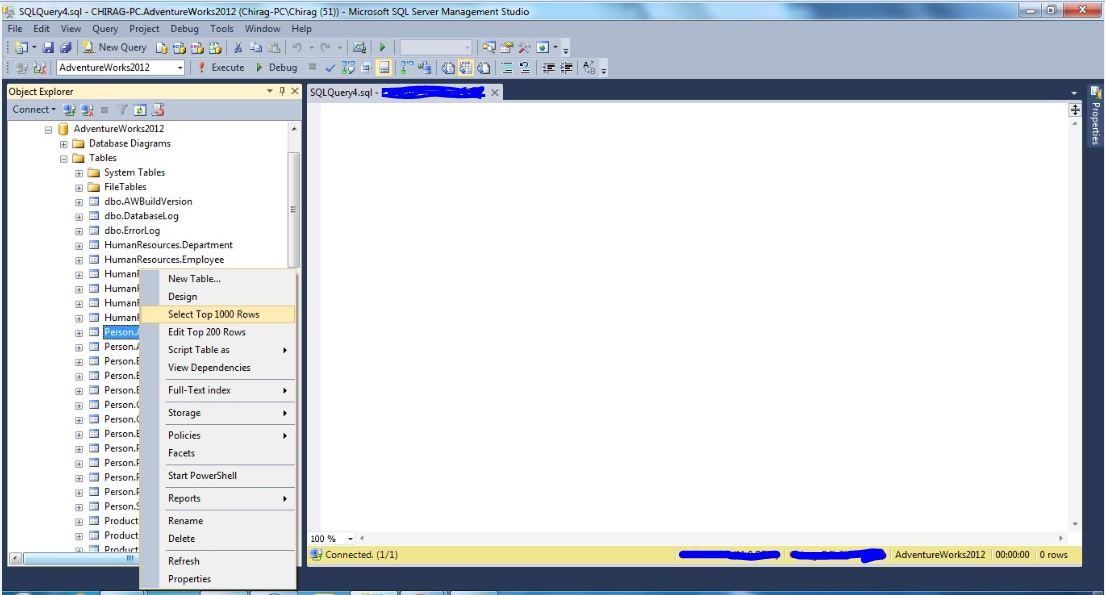
1. select database and open the tables.
    right click on any table and select the option select top 1000 rows.

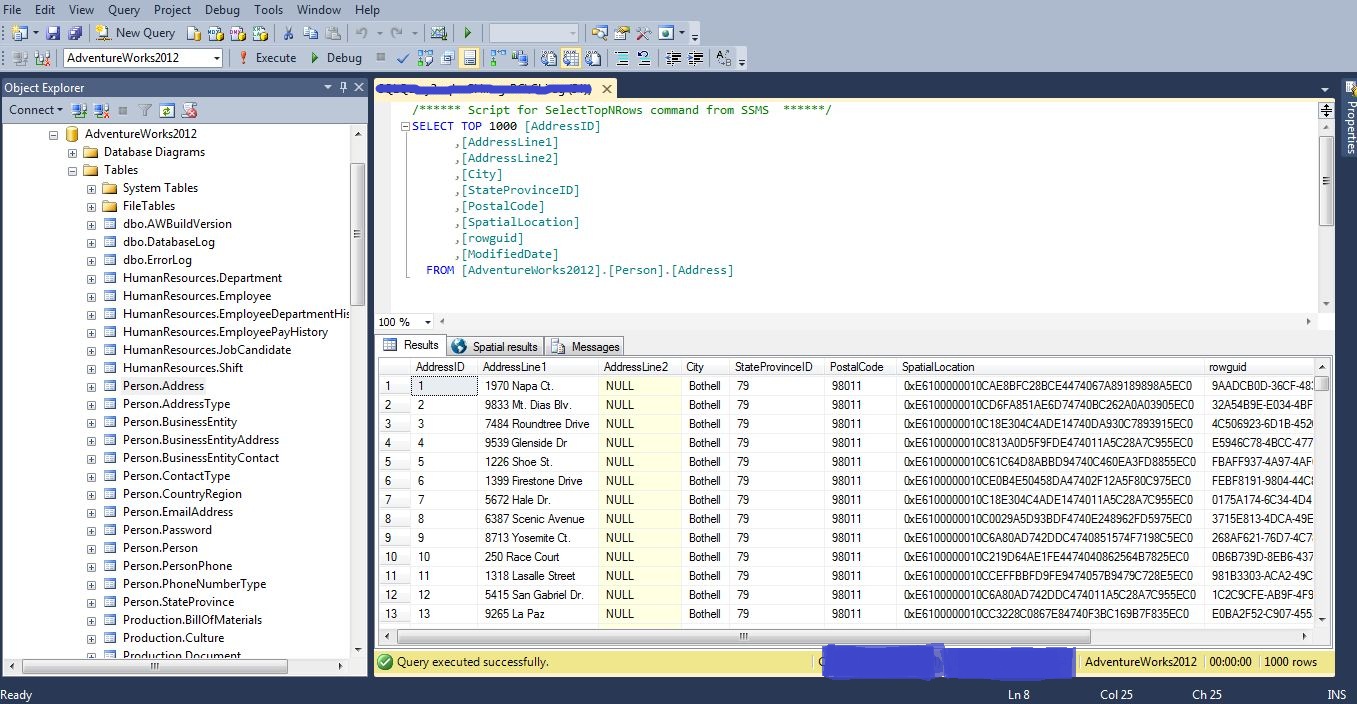
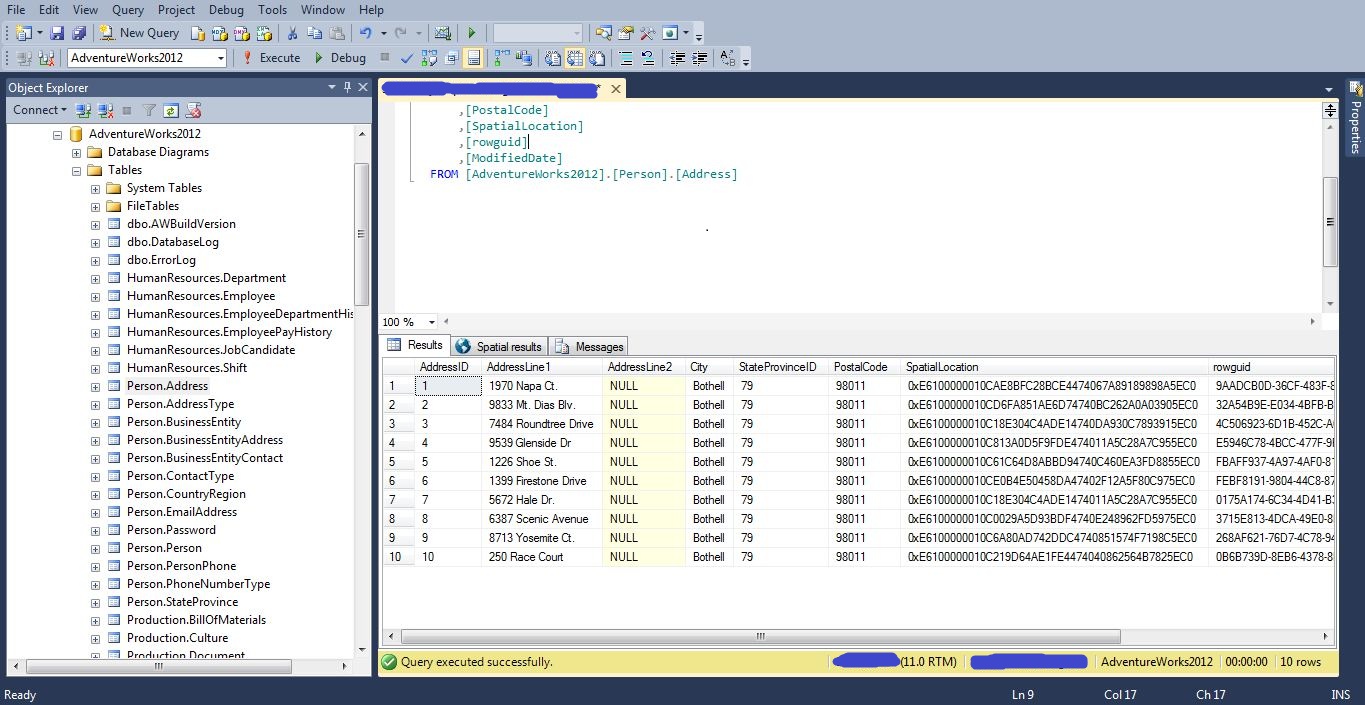
this will give you the below result.

you can change the number of rows by changing 1000 to 10 or some another number.

the second way to write a query in Query Editor.

2. write a statement to view a records.
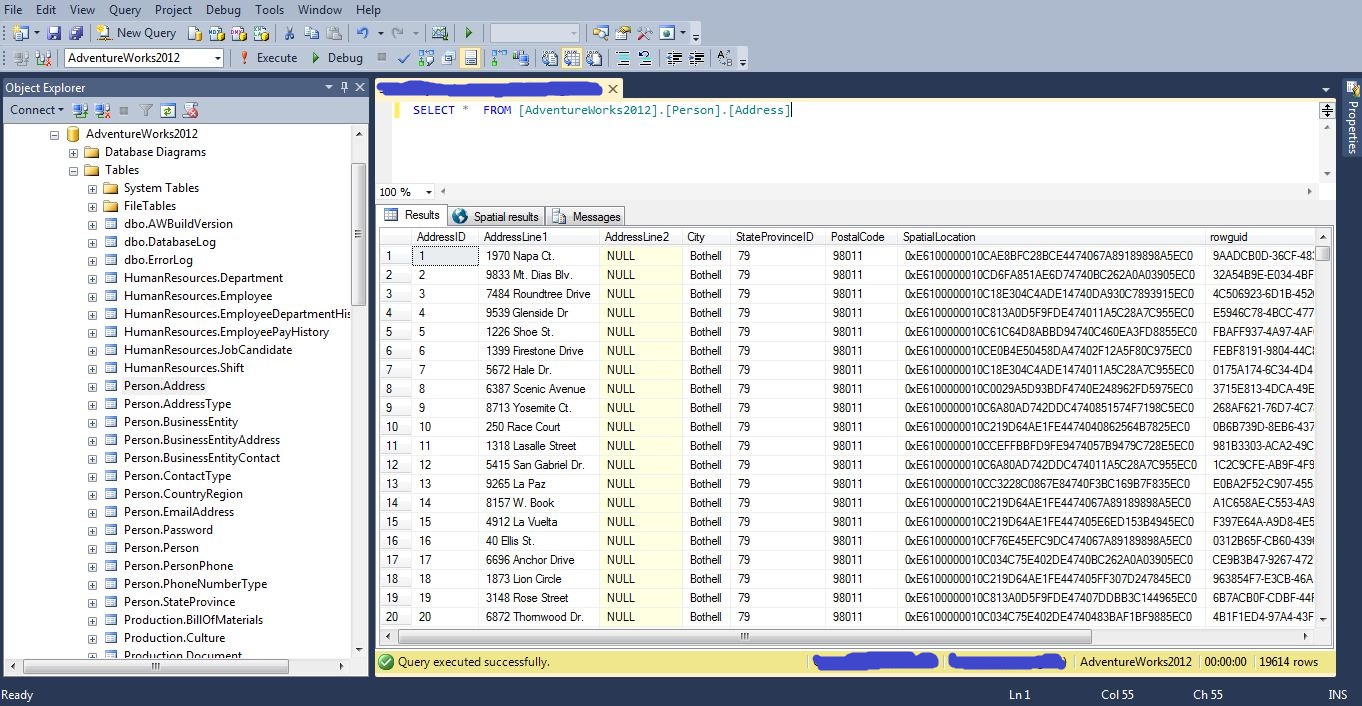
for example write select * from tablename
in this case the statement would be select * from [person].[address]


we use * operator to get all the records from selected table.
we can always use select top 10 columnname1, columnname2, columnname3 from tablename if we want 10 records.

Order By Clause.

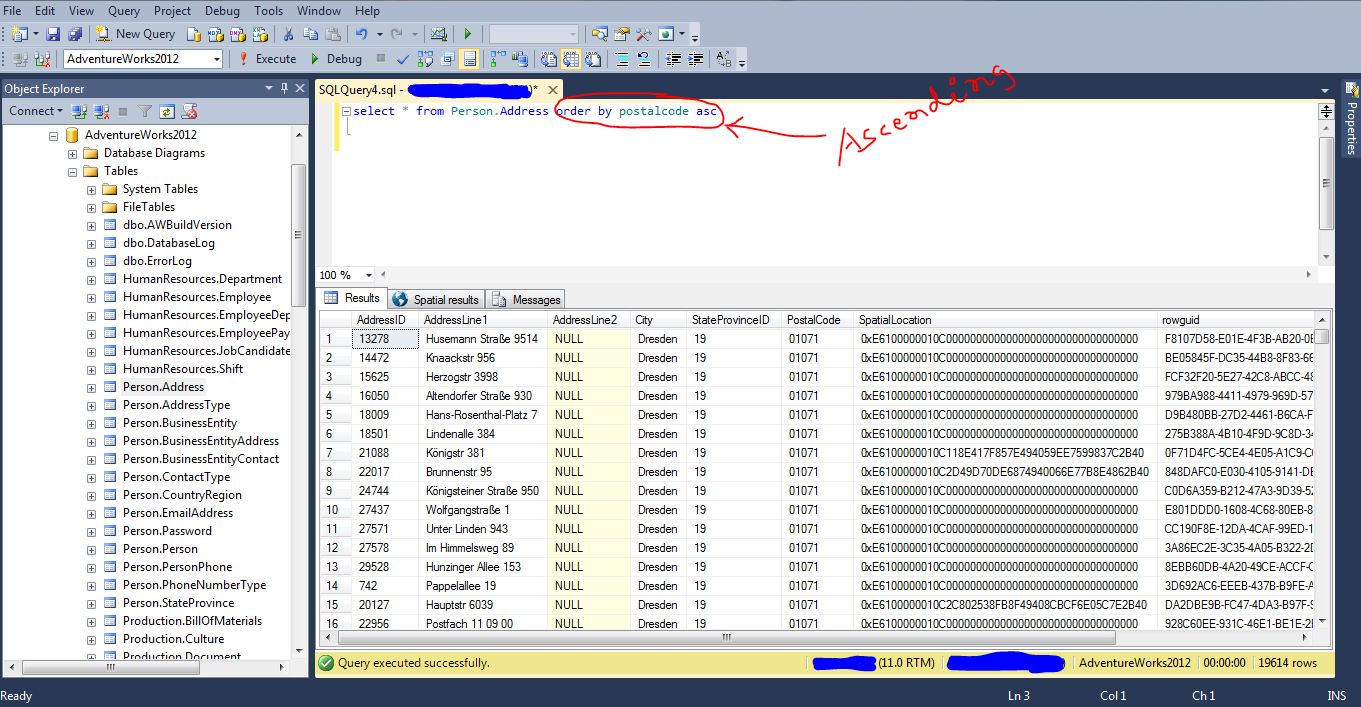
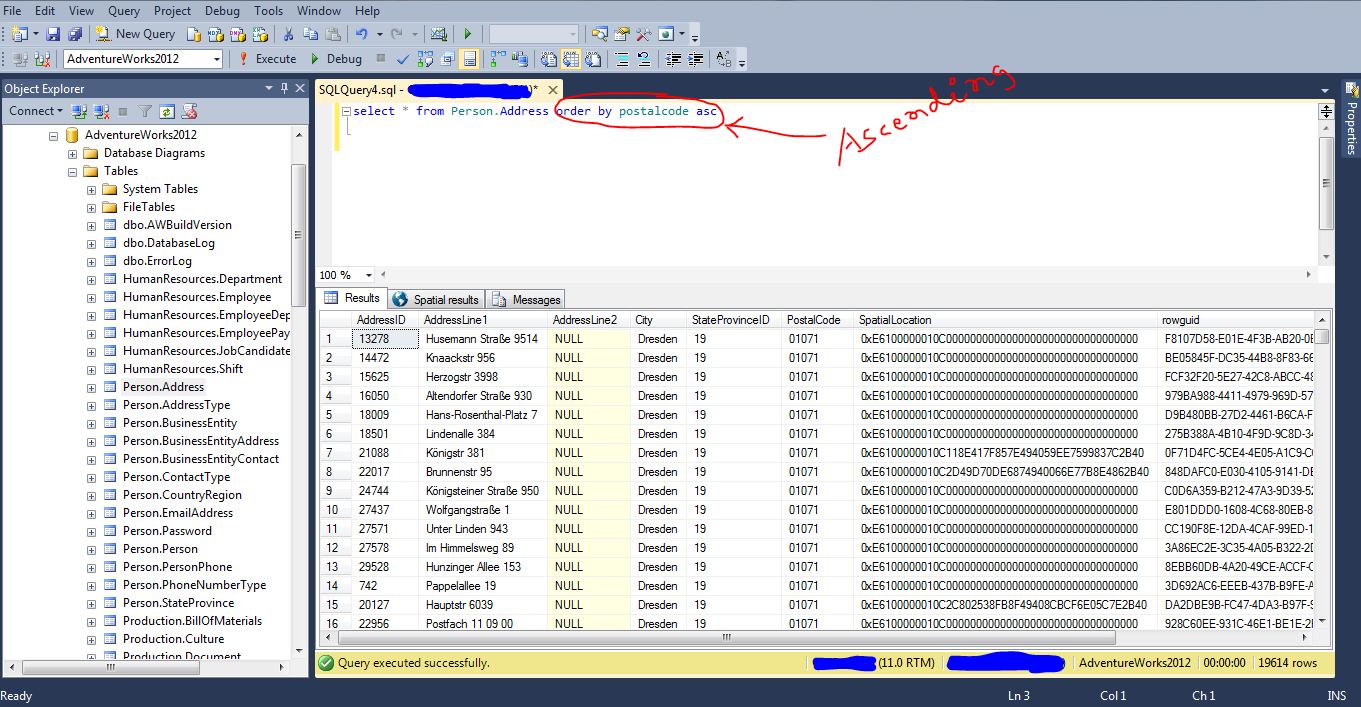
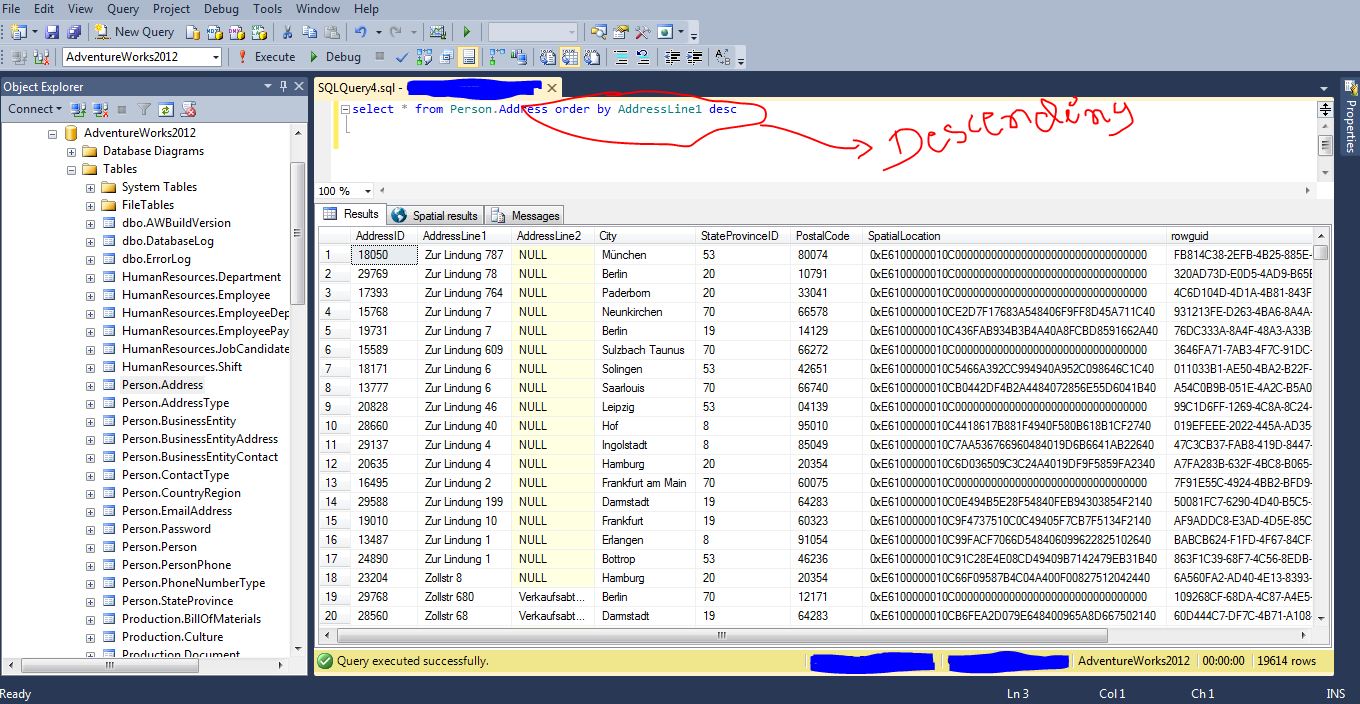
Order By clause given the result set in ascending or in descending order.

this particular query will give you the result set in ascending order on column PostalCode.

this query will give you the result set in descending order on column AddressLine1.