we can insert in SQL table in three ways.
First way is
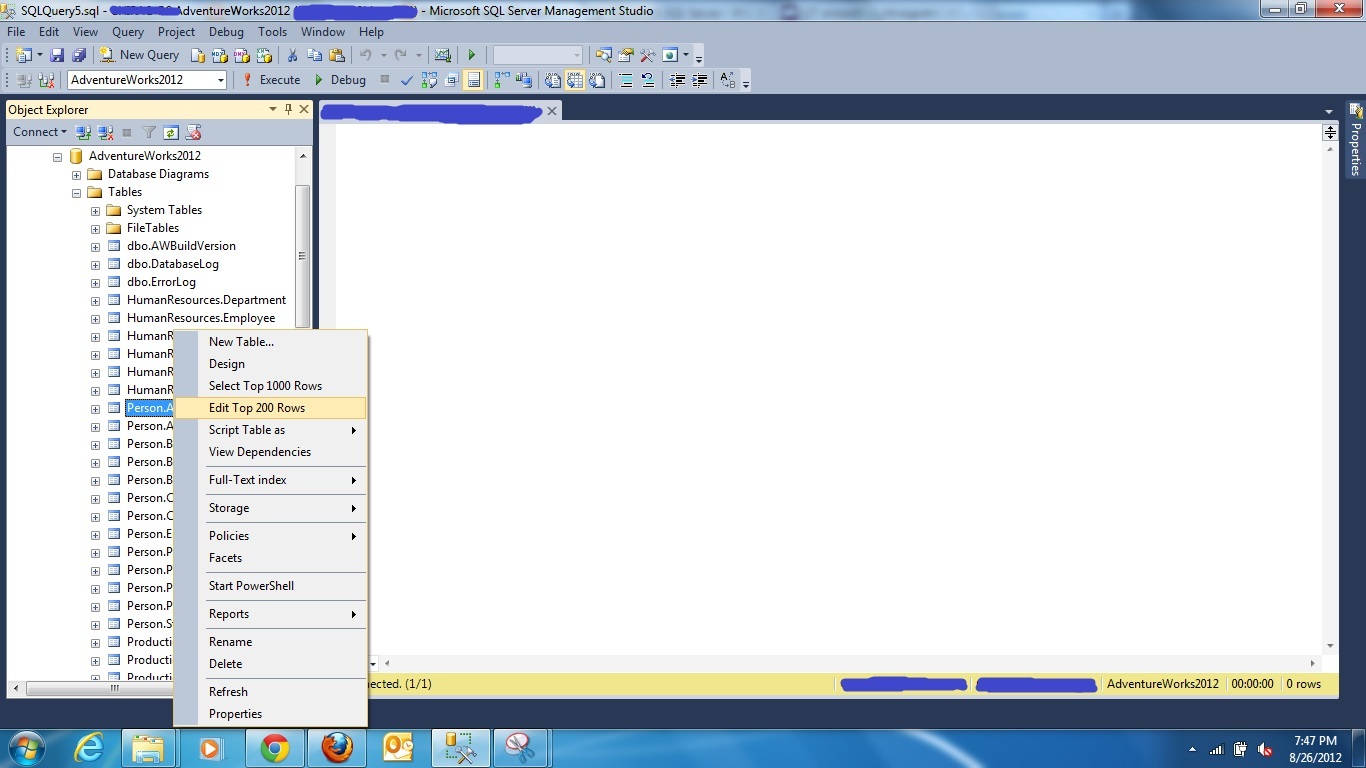
select the table you want to insert or Edit into, by going into option Edit Top 200 Rows
Second way is
select the table you want to insert values, right click on it
select the option
1. Script Table as
2. Insert to
3. New Query Editor Windows.

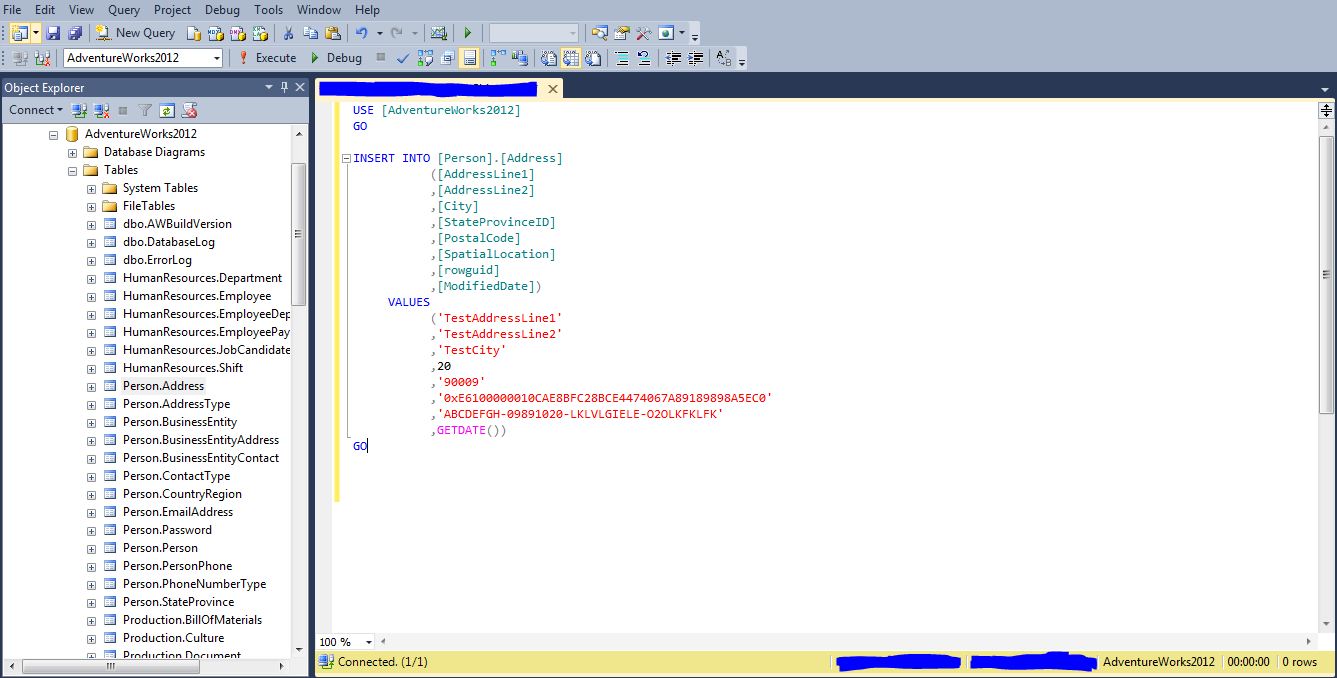
It will give you query editor with Insert into Statement
Third way is
To write a Insert into statement
2. Update Statement
Update statement is used to update existing records in SQL tables.
UPDATE table_name
SET column1=value, column2=value2
WHERE some_column=some_value
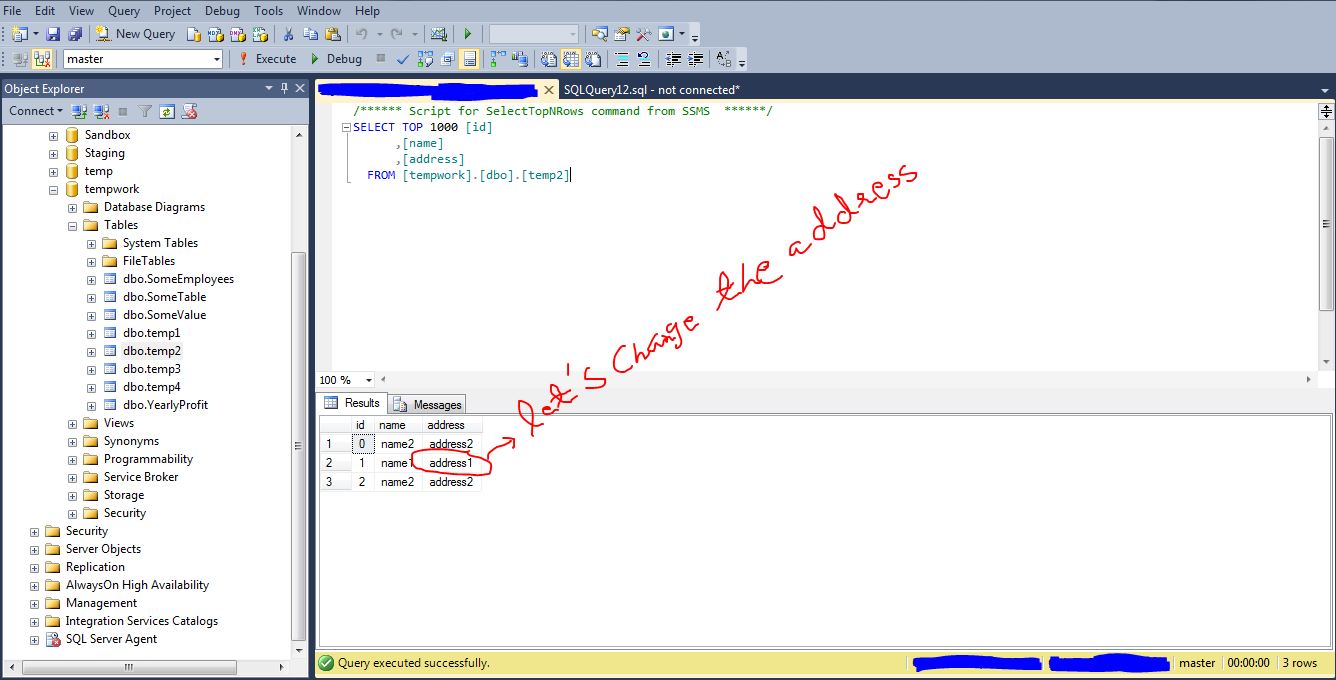
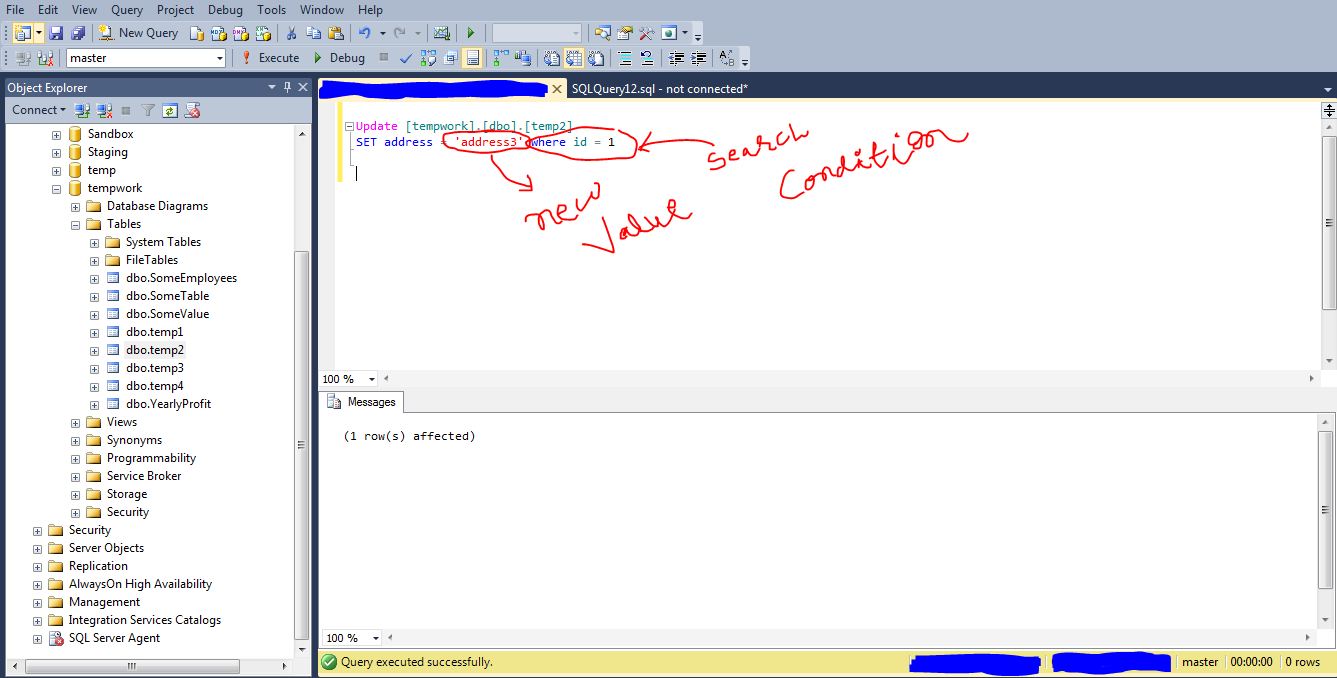
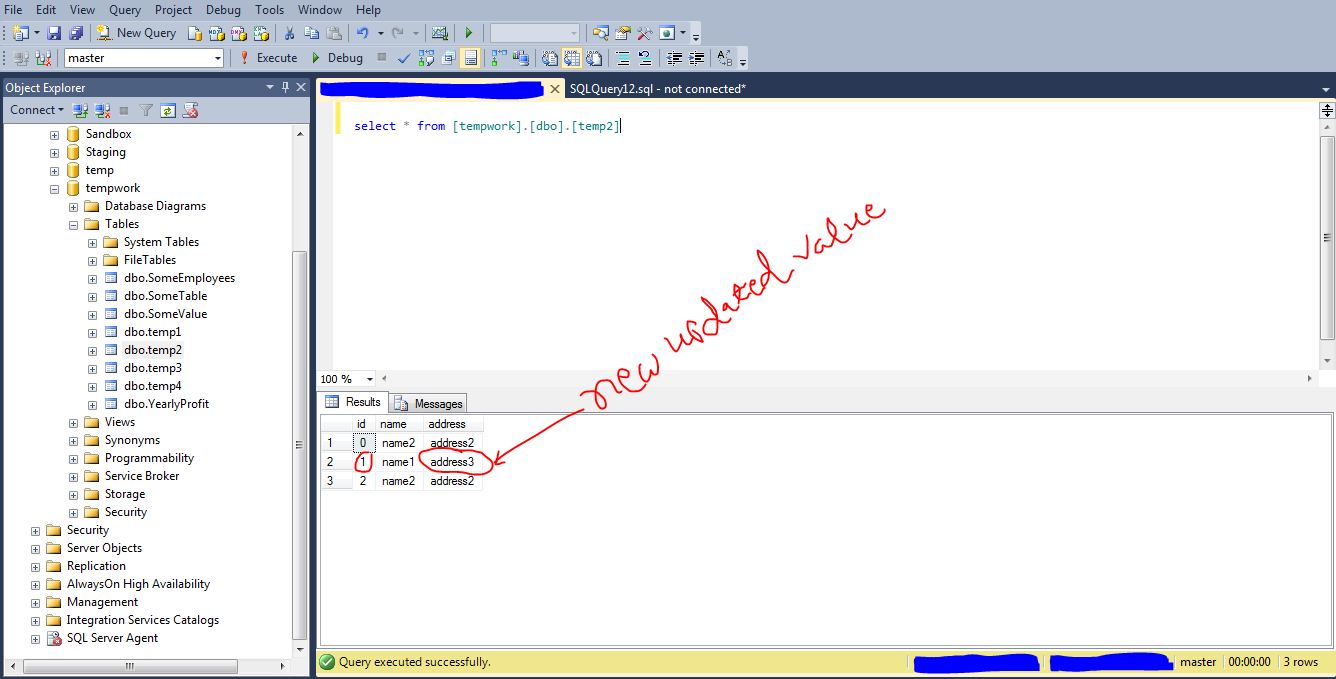
we have just updated address column with new value “address3” of id=1
let’s look at the changed records.
3. DELETE in SQL Server
DELETE statement used to delete rows and records in SQL server table.
syntax for example.
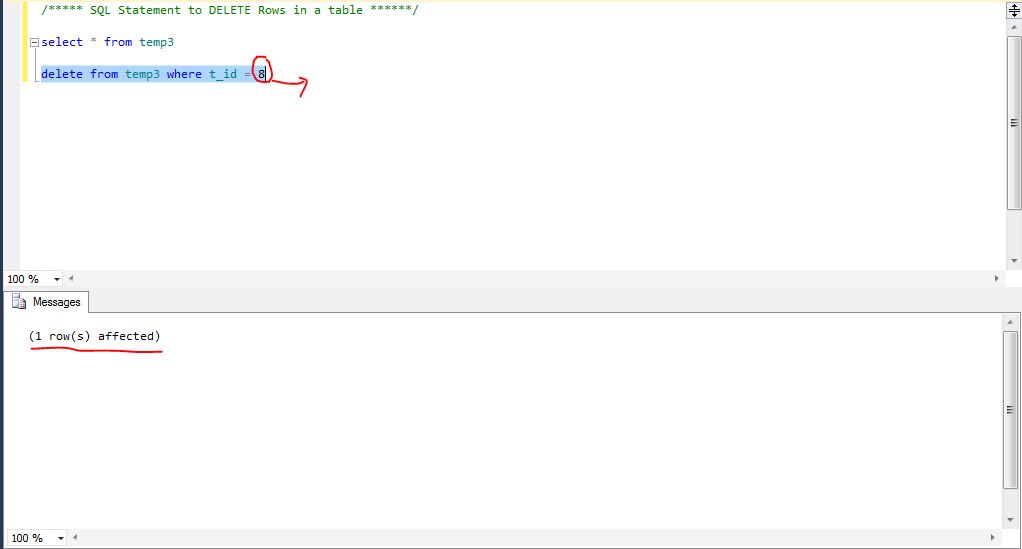
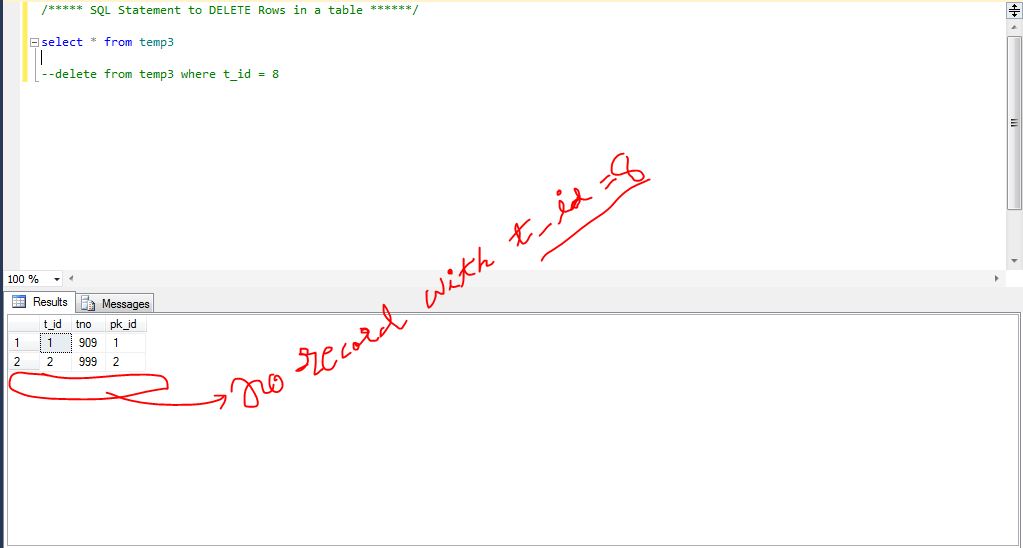
if you want to delete some particular record from selected table use this syntax.
DELETE from tablename where columnname = ‘Expression value’

 Understand SQL Server and BI technologies