1. Top Clause
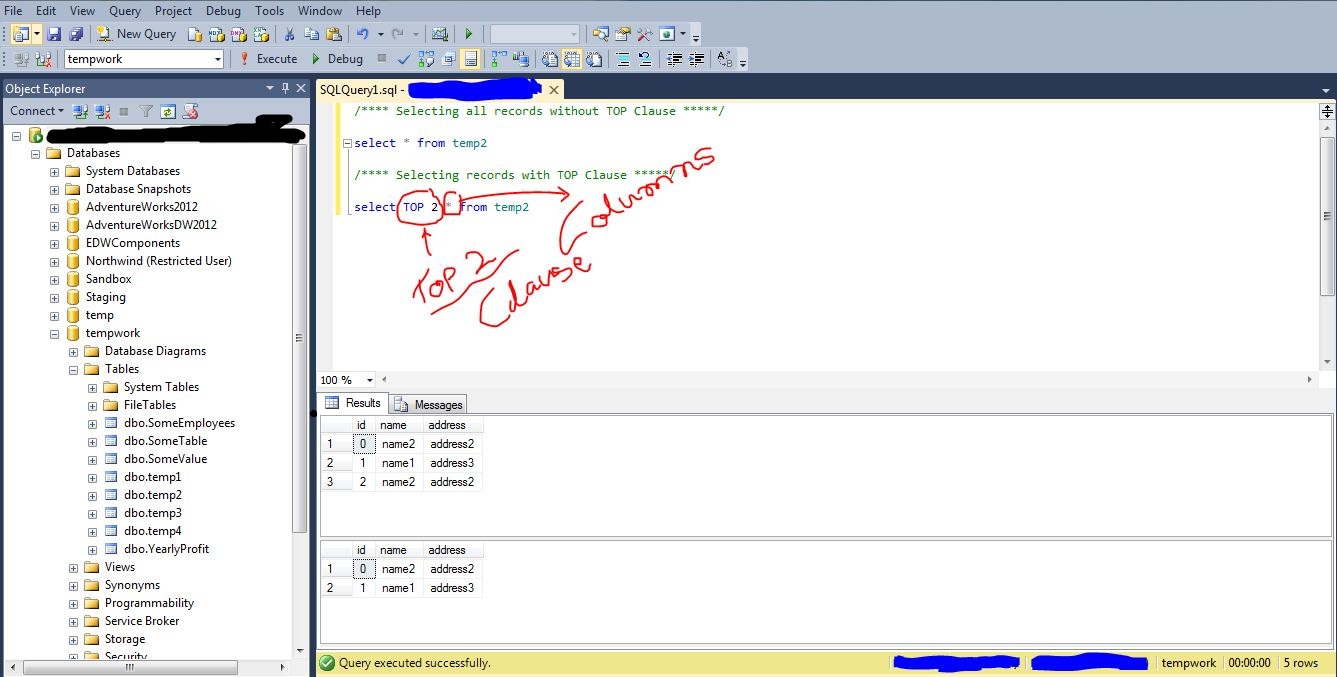
Top Clause is used to fetch and display Top selected rows as a result.
for example:
SELECT TOP 5 from [dbo].[tablename]
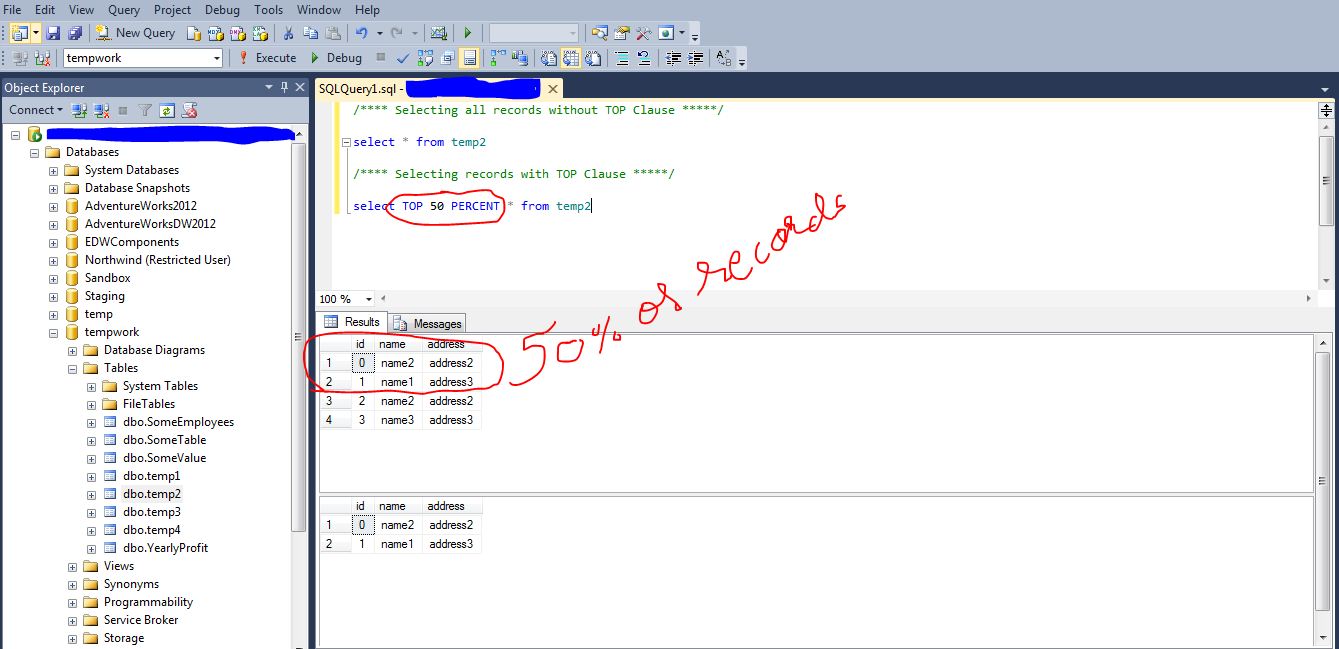
SELECT TOP 50 PERCENT * from [dbo].[tablename]
2. SQL LIKE Operator and Wildcards
LIKE Operator is used to search specified pattern we put and use in Where Clause.
we use wildcards in LIKE Operators.
Wildcards like
% — we use this operator to find more characters when we pass this operator as parameter.
[] — we use this operator to find specific pattern, we put into the square brackets.
_ — we call this operator an Underscore, to use a particular character in the given string.
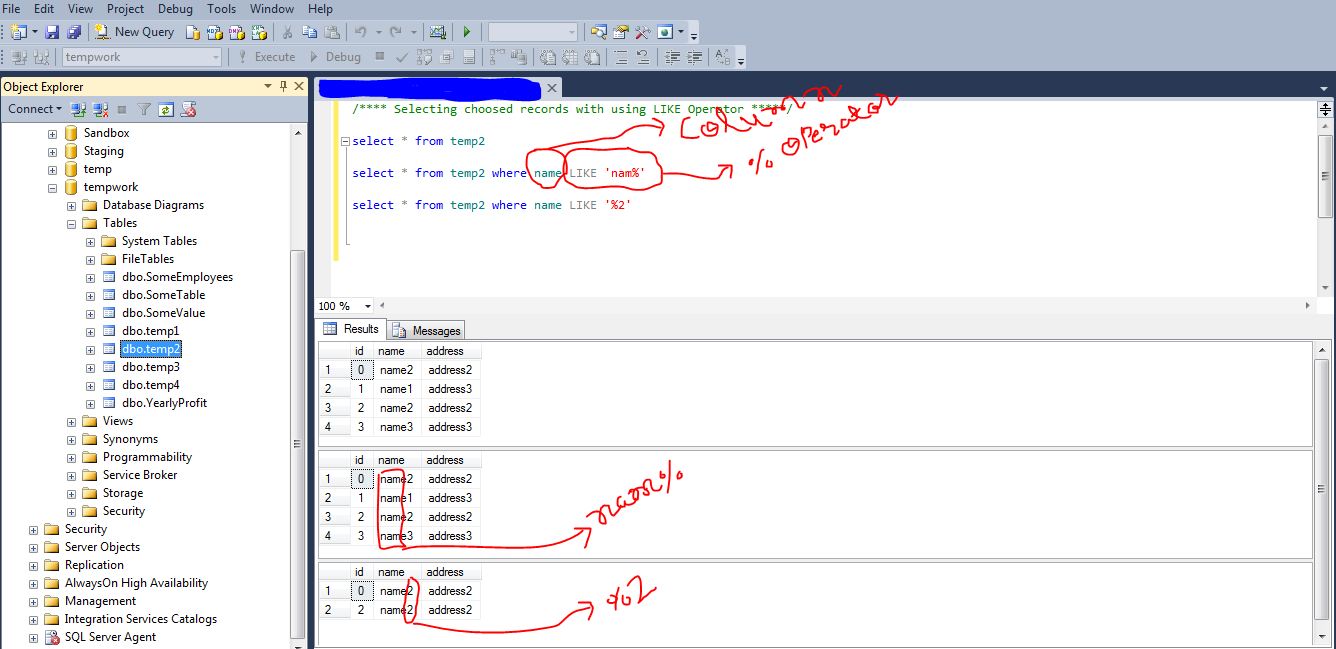
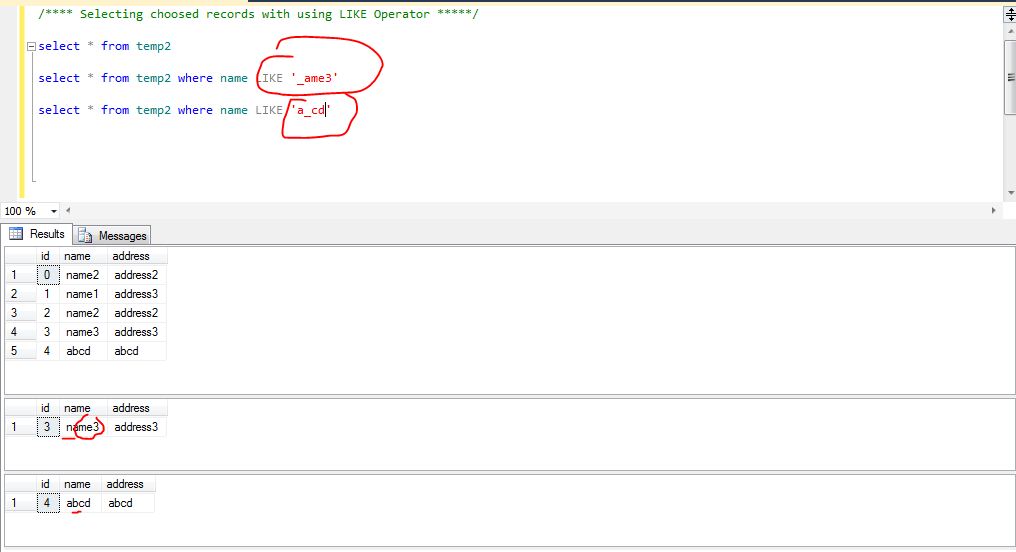
let’s find the Name which starts with character ‘n’ or ‘a’ from table temp2

3. SQL IN Operator
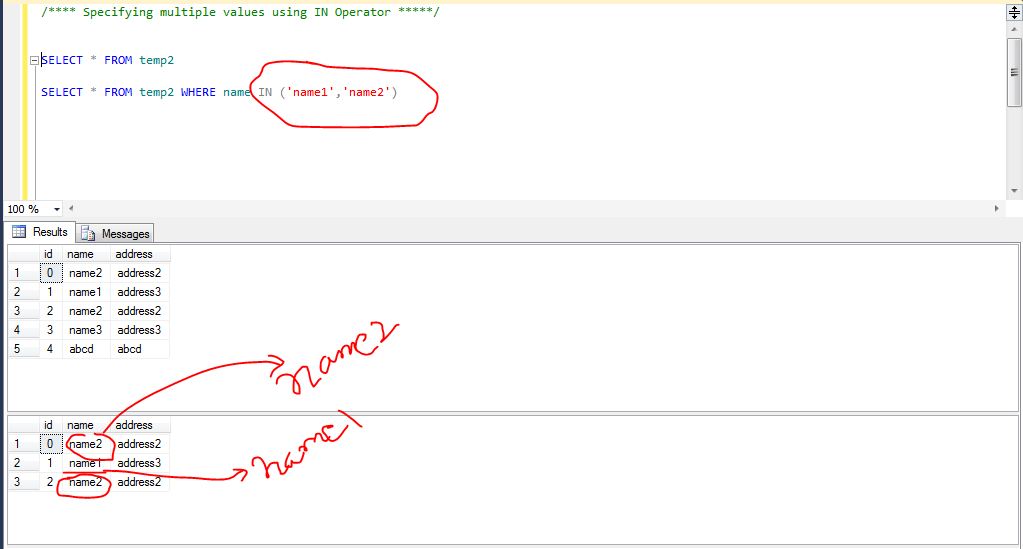
we use IN Operator to specify multiple values in a WHERE clause.
the syntax is
SELECT * FROM TABLENAME WHERE COLUMN NAME IN (‘VALUE1′,’VALUE2’)
4. The BETWEEN Operator
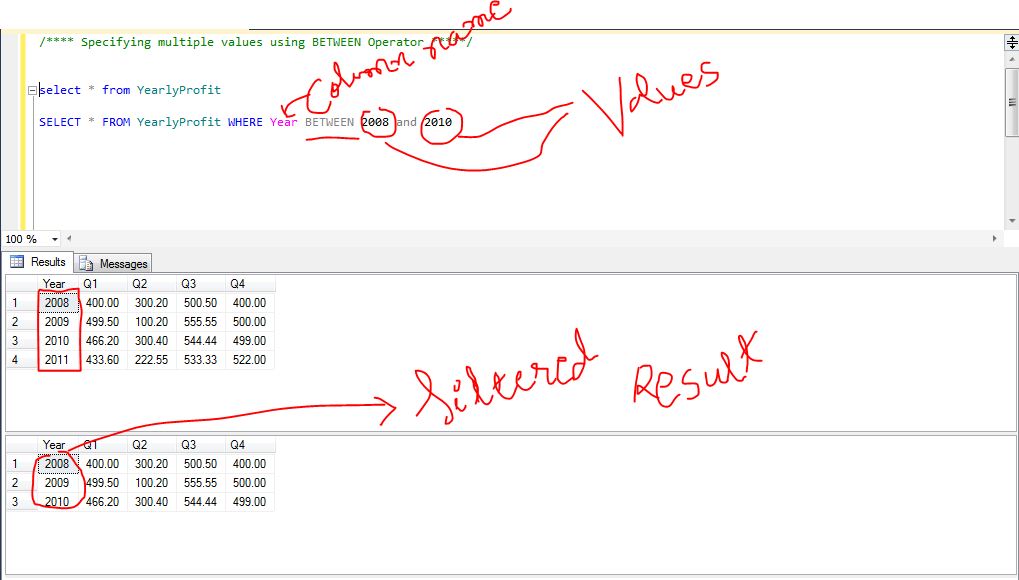
the between operator selects and shows values between range of given values in a form of parameters.
for example.
select * from tablename where columnname BETWEEN value1 and value2
5. Aliases in SQL
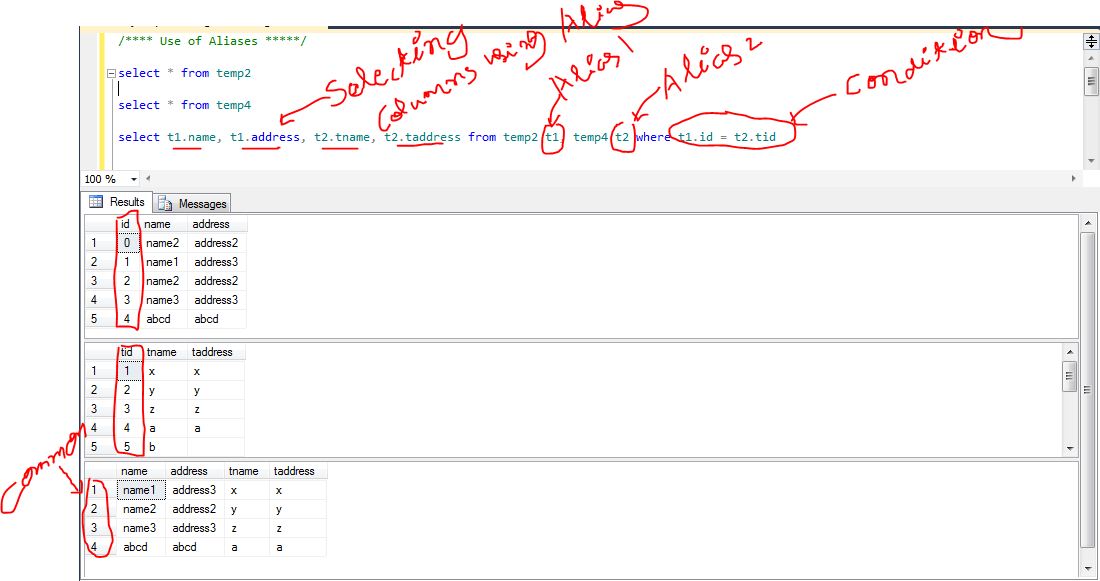
You can give a table or a column another name by using an alias.
we use Aliases in SQL to simplify the complex query by giving some name to ease the joins.
This can be a good thing to do if you have very long or complex table names or column names.
for example.
select
t1.table1column1
, t1.table1column2
, t2.table2column1
, t2.table2column2 from sometable1 t1, sometable2 t2 where t1.table1column1 = t2.table2column1
 Understand SQL Server and BI technologies