the post shows the links to download Adventureworks Database.
there are two types of Database that link has.
AdventureWorks2012, and AdventureWorksDW2012.
AdventureWorks2012 is OLTP (Online Transaction Processing) database and
AdventureWorksDW2012 is OLAP (Online Analytical Processing) database.
I will show in this post how to view data from data base tables in SQL Server using SSMS.
SSMS (SQL Server Management Studio) is tool which we get when we install SQL Server in our machine.
It has many features, features like
to access as many servers user wants in one window.
to access databases
to access server objects in form of Insert, Update and Delete tables, to create views, stored procedures, triggers.
to create user roles
To access as many Servers user wants in one windows.
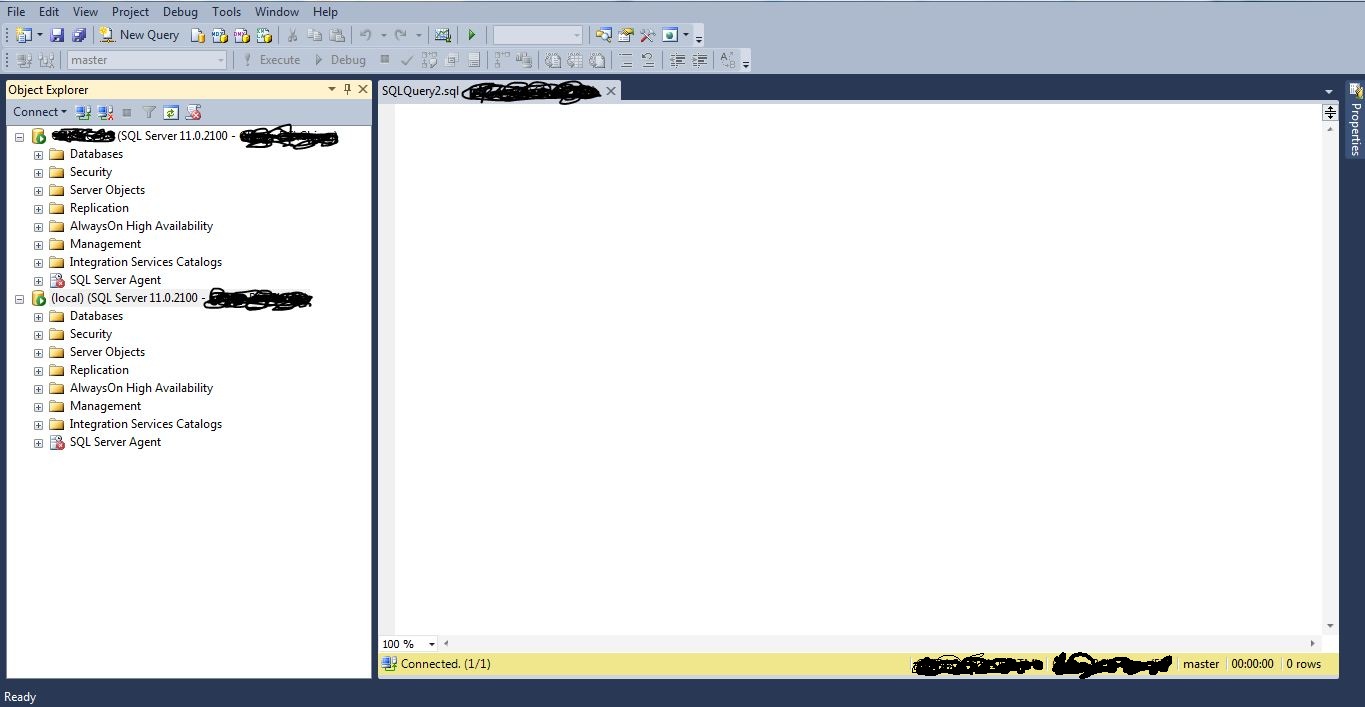
above screen shows two servers connected in one window.
To view the data from any tables from database.
two ways to view the data from the sql tables.
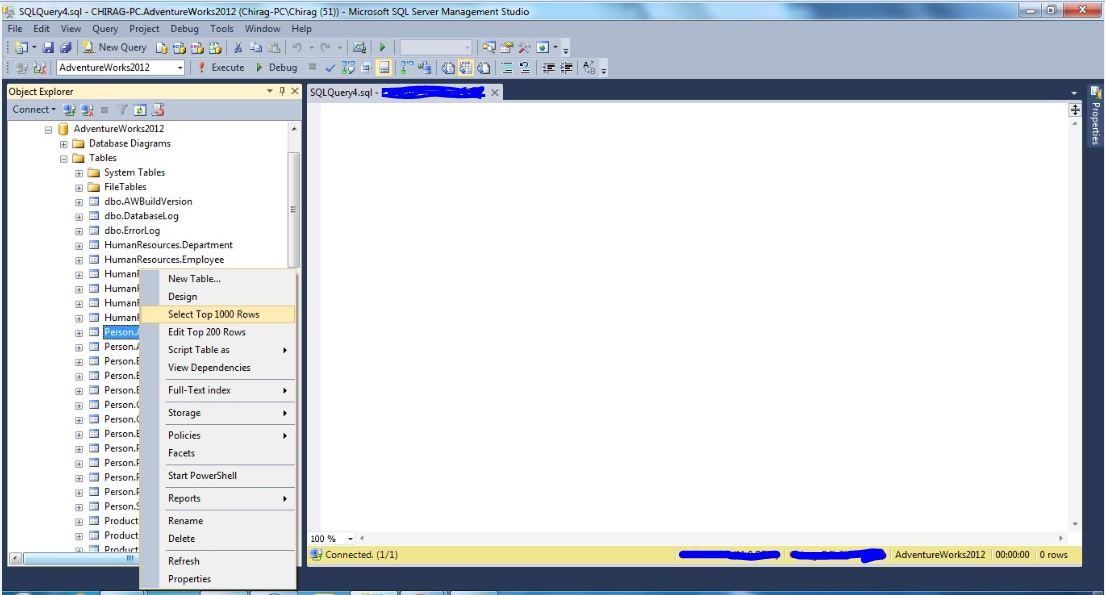
1. select database and open the tables.
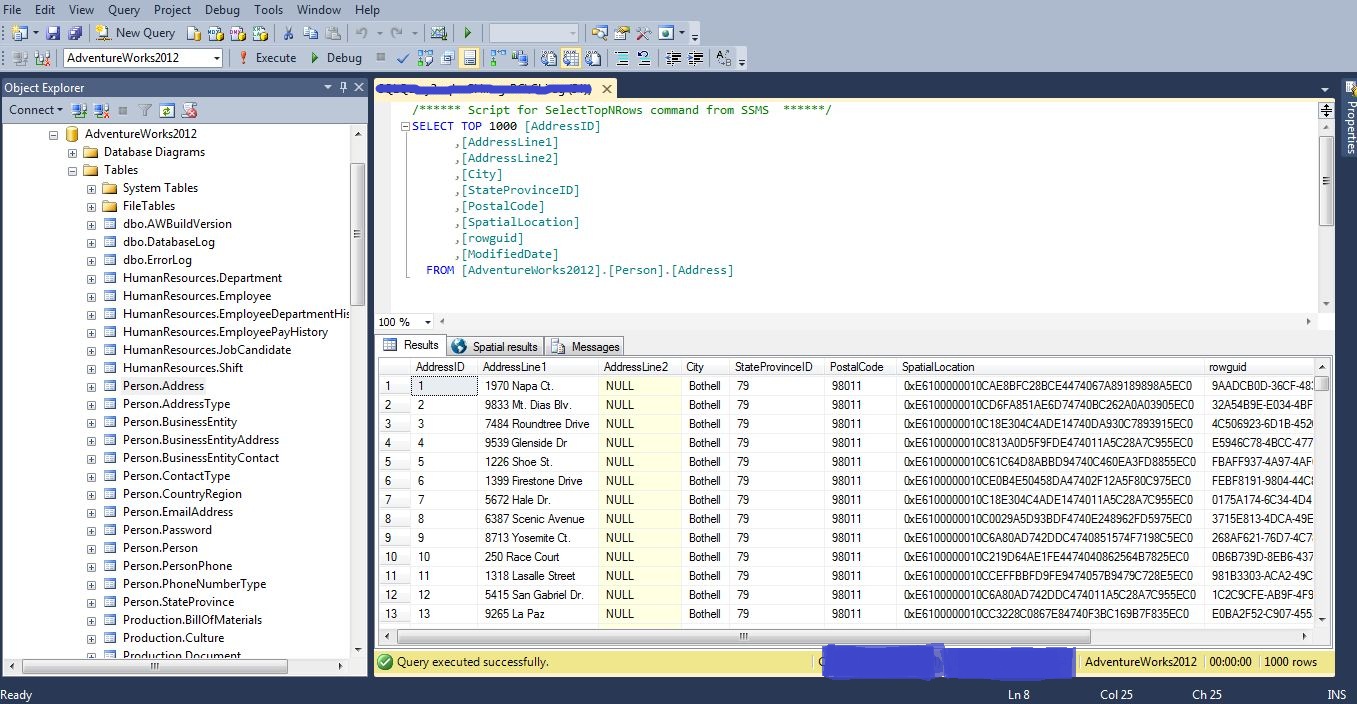
right click on any table and select the option select top 1000 rows.
this will give you the below result.
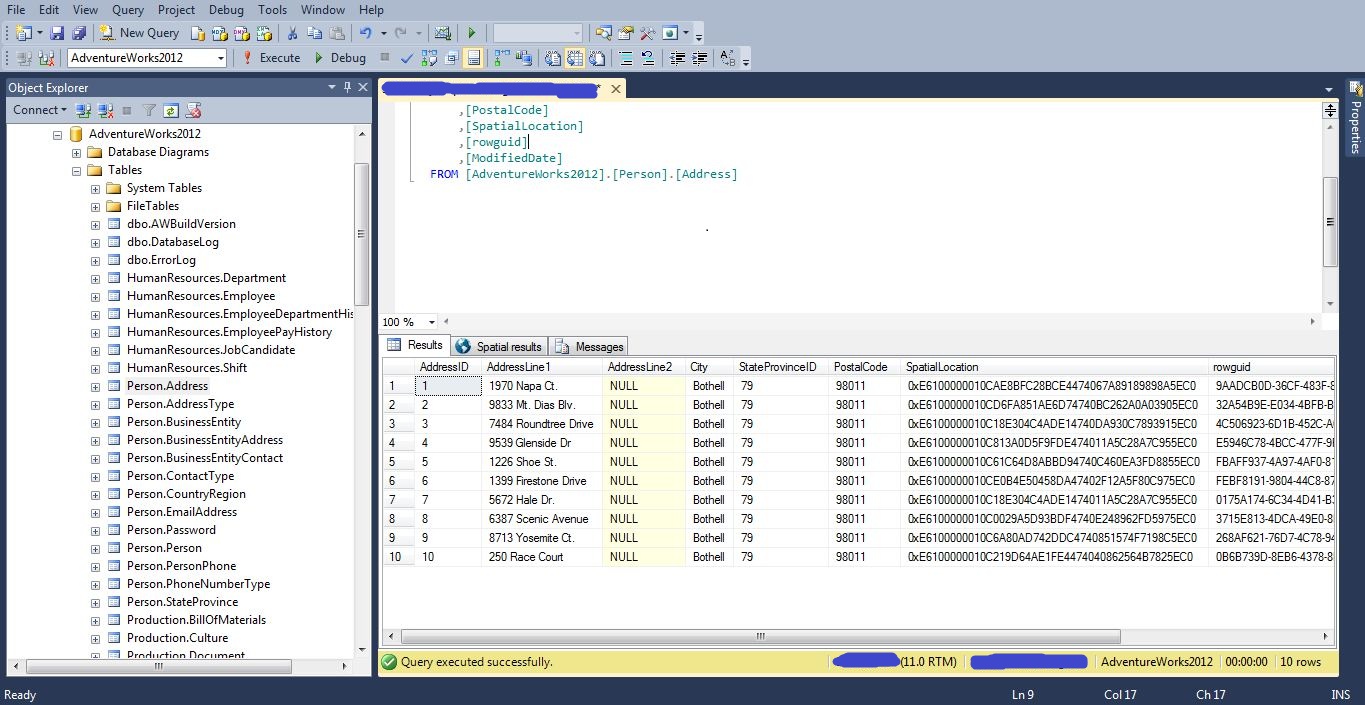
you can change the number of rows by changing 1000 to 10 or some another number.
the second way to write a query in Query Editor.
2. write a statement to view a records.
for example write select * from tablename
in this case the statement would be select * from [person].[address]
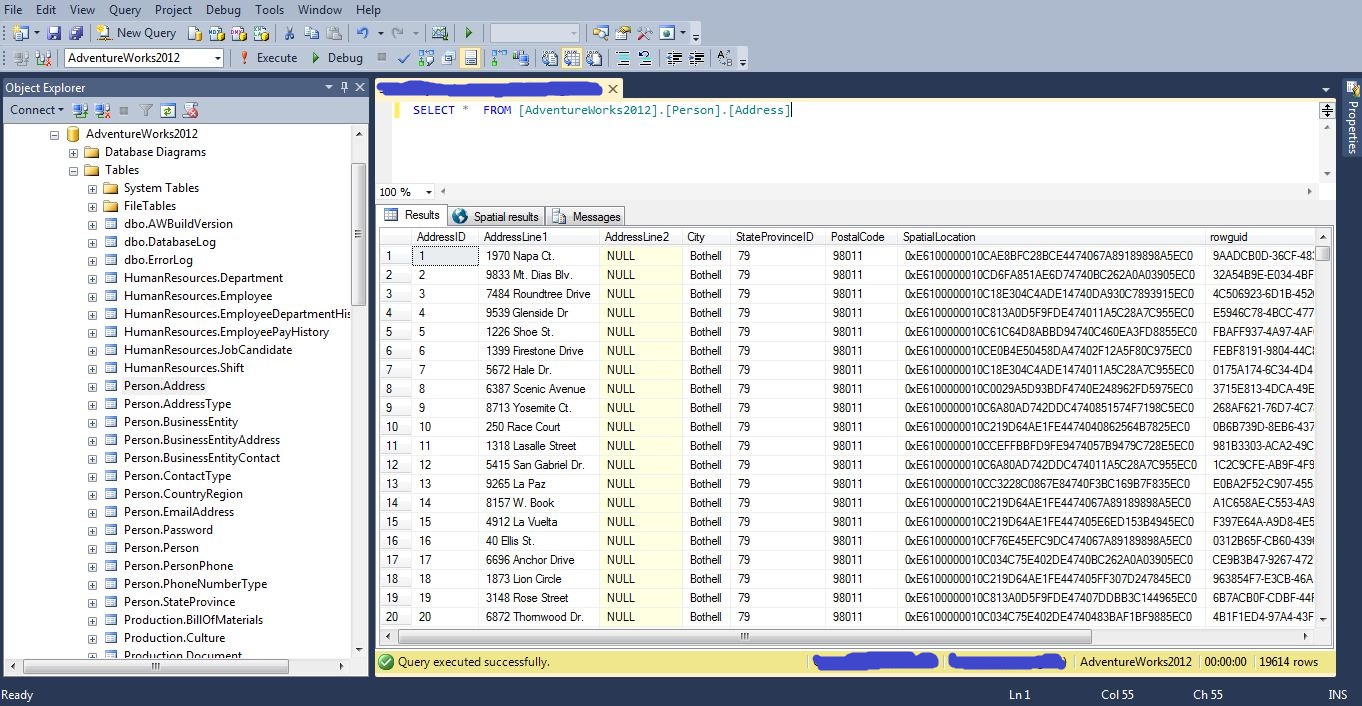
we use * operator to get all the records from selected table.
we can always use select top 10 columnname1, columnname2, columnname3 from tablename if we want 10 records.
Order By Clause.
Order By clause given the result set in ascending or in descending order.
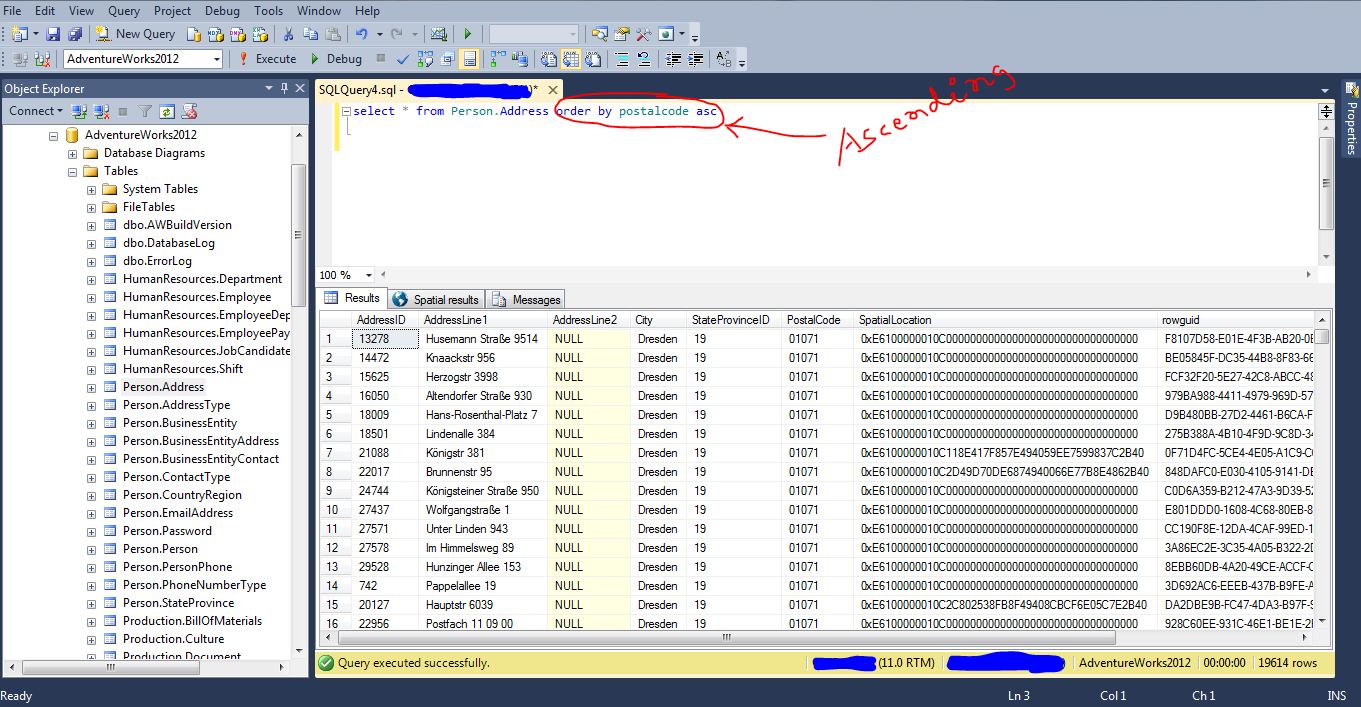
this particular query will give you the result set in ascending order on column PostalCode.
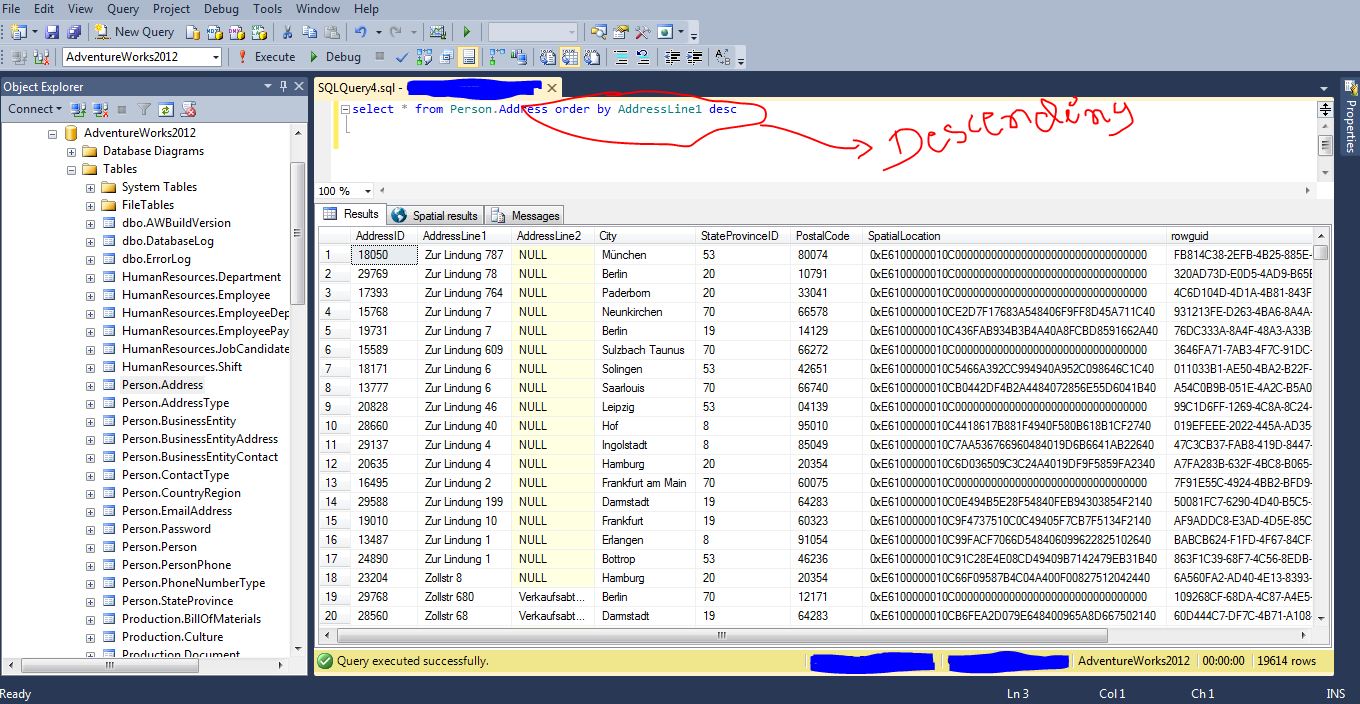
this query will give you the result set in descending order on column AddressLine1.
 Understand SQL Server and BI technologies